

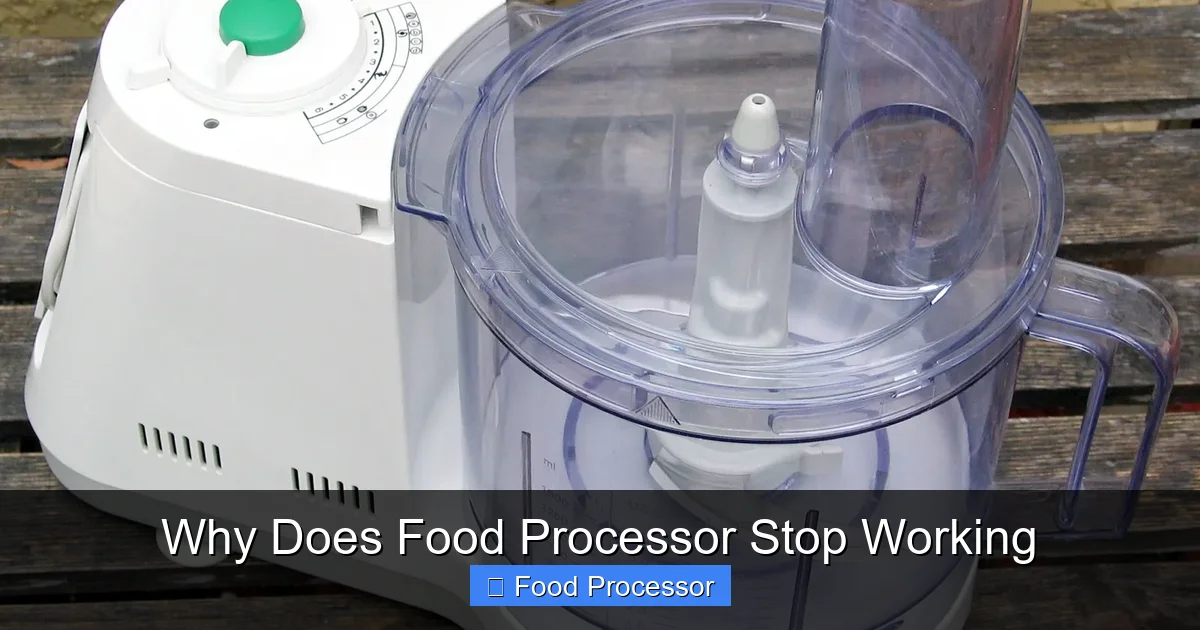
It’s frustrating when your food processor stops working mid-recipe. Often, the issue is simple, like improper assembly, a tripped breaker, or an overloaded motor. This guide will help you understand the most common culprits and walk you through practical troubleshooting steps to get your kitchen essential back in action, from checking power to inspecting components.
Why Does Food Processor Stop Working
There’s nothing quite as frustrating as being in the middle of preparing a delicious meal, only for your trusty food processor to suddenly grind to a halt. One moment it’s chopping, dicing, or pureeing with ease, and the next, silence. When your food processor stops working, it can throw a serious wrench into your kitchen plans. But don’t panic! More often than not, the reason your food processor isn’t working is something simple and easily fixable.
This comprehensive guide is designed to help you understand the common reasons why a food processor might stop working. We’ll walk you through a series of logical troubleshooting steps, from the most basic checks to more in-depth inspections. By the end, you’ll be equipped with the knowledge to diagnose the problem and, hopefully, get your food processor back to its food-prepping best. Let’s get started and solve the mystery of your silent kitchen assistant!
Key Takeaways
- Safety First: Always unplug your food processor before inspecting or attempting any fixes to prevent injury.
- Check the Basics: Most issues stem from power supply problems (outlet, cord, breaker) or incorrect assembly of the bowl, lid, and pusher.
- Avoid Overload: Overfilling or processing overly hard ingredients can trigger the motor’s safety shut-off, causing your food processor to stop working.
- Inspect Components: A dull or stuck blade, a blocked drive shaft, or damaged interlock mechanisms are common reasons for a lack of operation.
- Regular Maintenance Helps: Keeping your food processor clean and not overworking it can prevent many common malfunctions and prolong its lifespan.
- Know When to Call for Help: For complex motor issues or internal damage, professional repair or replacement might be the most practical solution.
Step 1: Prioritize Safety – Unplug Your Food Processor
Before you touch anything inside or around your food processor, the absolute first and most crucial step is to ensure it’s unplugged from the wall outlet. This prevents any accidental starts or electrical shocks while you’re investigating. Safety should always be your top concern when dealing with electrical appliances.
Step 2: Check the Power Supply and Connections
Many problems that cause a food processor to stop working are related to its power source. It might seem obvious, but it’s often overlooked.
2.1. Inspect the Wall Outlet
First, make sure the outlet itself is working. You can test it by plugging in another small appliance, like a phone charger or a lamp. If the other appliance also doesn’t work, the issue isn’t your food processor but the outlet itself.
Visual guide about Why Does Food Processor Stop Working
Image source: storables.com
- Tripped Breaker: Check your home’s electrical panel for a tripped circuit breaker. Resetting it might restore power to the outlet.
- GFCI Outlet: If your food processor is plugged into a GFCI (Ground Fault Circuit Interrupter) outlet (common in kitchens), check if it has tripped. Press the “Reset” button on the outlet.
2.2. Examine the Power Cord
Carefully inspect the food processor’s power cord for any visible damage. Look for frayed wires, cuts, or pinched sections. A damaged cord can prevent power from reaching the motor. If you find damage, the cord will need to be replaced, which is often a job for a professional or may indicate it’s time for a new appliance.
2.3. Ensure Secure Plug Connection
Make sure the plug is fully and securely inserted into the wall outlet. Sometimes, a loose connection is all it takes for your food processor to stop working.
Step 3: Verify Proper Assembly and Safety Interlocks
Food processors are designed with safety in mind, meaning they won’t operate unless all components are correctly assembled. This is one of the most common reasons people think their food processor stopped working how to fix it, when in reality, it’s just a safety feature.
3.1. Bowl and Lid Alignment
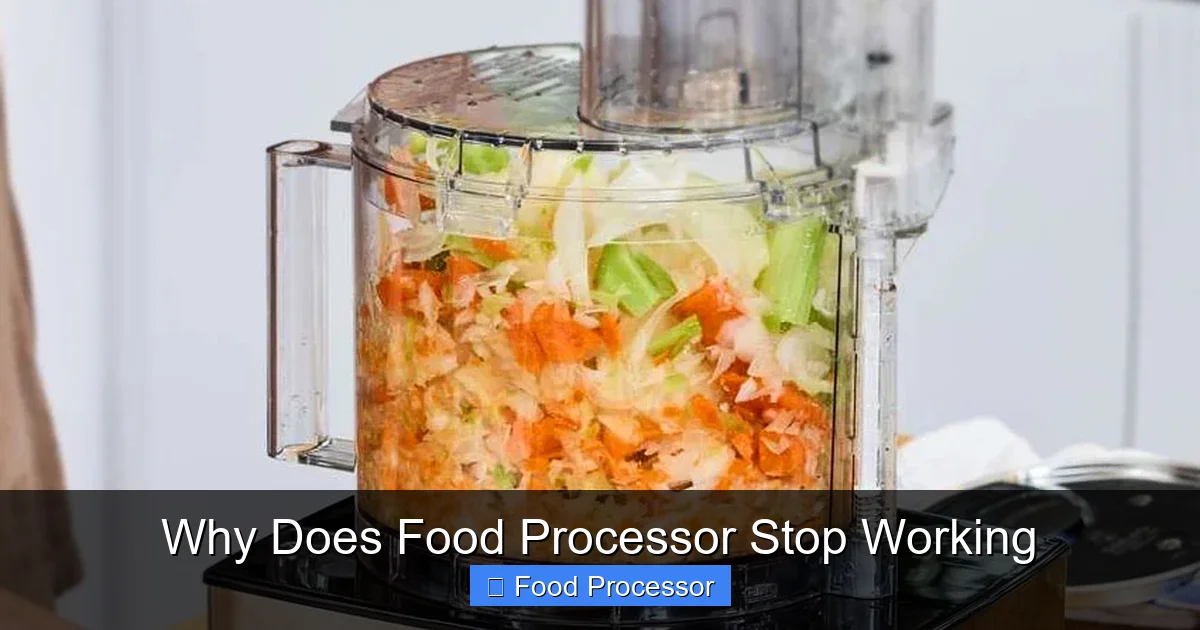
The bowl must be securely locked onto the motor base, and the lid must be securely locked onto the bowl. Most food processors have arrows or markings that help you align these parts correctly. They usually require a twist to lock into place.
Visual guide about Why Does Food Processor Stop Working
Image source: hometechbuddy.com
- Listen for a Click: Often, you’ll hear an audible click when the bowl and lid are properly secured.
- Check the Latch: Ensure the latch or locking mechanism on the lid engages fully.
3.2. Pusher/Food Chute
Some models have a safety interlock built into the food pusher that goes into the feed tube. The food processor won’t start if the pusher isn’t in place, or if it’s not inserted correctly. Try removing and reinserting the pusher, ensuring it’s seated properly.
If you’re unsure about the correct assembly, referring to your appliance’s manual or checking out resources on how to properly assemble your food processor can be very helpful.
3.3. Blade or Disc Attachment
The blade or disc needs to be correctly seated on the drive shaft within the bowl. If it’s loose or not aligned, the machine’s safety mechanism may prevent it from starting. For specific issues related to the blade, you might find more detailed solutions if you’re wondering why your food processor blade might not be spinning.
Step 4: Address Overload or Overheating Issues
Food processors are powerful, but they have limits. Overloading them or running them for too long can trigger safety features.
4.1. The Thermal Overload Protector
Most food processors are equipped with a thermal overload protector. If the motor gets too hot, this safety feature will automatically shut off the appliance to prevent damage. This is a common reason why your food processor stops working unexpectedly. It’s designed to protect the motor from burning out.
- Wait it Out: If you suspect overheating, unplug the food processor and let it cool down for at least 15-30 minutes. Sometimes, it can take up to an hour for the thermal protector to reset.
- Reduce Load: Once it has cooled, try processing a smaller amount of food or food cut into smaller pieces.
4.2. Overloading the Bowl
Putting too much food into the bowl at once, or trying to process very hard or dense ingredients (like frozen fruit straight from the freezer, large chunks of hard cheese, or kneading very stiff dough without proper liquid), can strain the motor. This can lead to an immediate shutdown or slow down the motor until it trips the overload protector.
- Chop into Smaller Pieces: Always cut food into manageable pieces before adding them to the processor.
- Process in Batches: If you have a large quantity of food, process it in smaller batches.
- Add Liquids: For thick mixtures, a bit of liquid can often help the ingredients move more smoothly.
Step 5: Inspect the Blades and Drive Shaft for Obstructions
Even if the motor seems to be running, if the blade isn’t turning or if it struggles, there might be a physical obstruction.
5.1. Check for Stuck Food
Sometimes, a piece of food can get wedged under or around the blade, preventing it from spinning freely. Unplug the unit, carefully remove the blade, and clear any lodged food particles from the blade and the bottom of the bowl. Pay attention to the center spindle.
5.2. Blade Condition
While food processor blades are robust, they can become dull over time or even get slightly bent or chipped if they encounter something very hard. A dull blade won’t process food effectively and can put extra strain on the motor, leading to it stopping. If your blade is damaged, it might need replacing.
5.3. Drive Shaft Issues
The drive shaft is the part of the motor that connects to the blade. Inspect the drive shaft on the motor base to ensure it’s not damaged, bent, or obstructed. Also, check the corresponding opening in the blade assembly for any wear or blockage. Sometimes, sticky residue or fine food particles can build up in these areas, causing friction or preventing a secure connection.
Step 6: Examine for Worn or Broken Parts
Over time, components can wear out or break, causing your food processor to stop working.
6.1. Damaged Interlock Tabs
The safety interlock mechanisms on the bowl and lid often involve small plastic tabs that engage with switches on the motor base. If these tabs are broken, bent, or worn, the food processor won’t “know” that the components are correctly assembled and won’t start.
- Visual Inspection: Carefully examine these tabs on your bowl and lid. Compare them to images in your manual if possible.
- Replacement Parts: If a tab is broken, you might be able to order a replacement bowl or lid, depending on the model.
6.2. Motor Coupler/Gear
The motor coupler, sometimes called a drive coupling or gear, is a small part (often made of plastic or rubber) that connects the motor’s shaft to the blade assembly. If this part is stripped, cracked, or worn, the motor might run, but the blade won’t spin. This usually manifests as a grinding noise without any blade movement.
- Professional Repair: Replacing a motor coupler can be tricky and may require opening the motor base. It’s often best left to a professional, or you might consider if the cost outweighs a new appliance.
6.3. Internal Wiring Issues
While less common for home users to fix, sometimes internal wiring can become loose or corroded. If you’ve tried all other troubleshooting steps and your food processor still doesn’t work, and there are no signs of life (no lights, no sound), internal wiring could be the culprit. This is definitely a job for a qualified appliance repair technician.
Step 7: When to Seek Professional Help or Consider Replacement
After attempting all the above troubleshooting steps, if your food processor still won’t work, it might be time to weigh your options.
7.1. Contact Customer Support
If your food processor is still under warranty, contact the manufacturer’s customer support. They might offer repair services, replacement parts, or even a full replacement.
7.2. Professional Repair
For more complex issues, like a faulty motor, internal wiring problems, or a stripped drive gear within the base, an appliance repair technician might be able to help. Get an estimate for the repair cost. Sometimes, the cost of repair can approach the price of a new basic food processor. If you’re considering a new appliance, you might want to look for a food processor that won’t overheat easily to avoid similar problems in the future.
7.3. Consider Replacement
If the repair costs are too high, the appliance is old, or you’re simply ready for an upgrade, purchasing a new food processor might be the most practical solution. Modern food processors often come with improved safety features, more powerful motors, and better overall durability.
Preventative Maintenance Tips
To avoid future issues and extend the life of your food processor, keep these tips in mind:
- Don’t Overfill: Always adhere to the maximum fill lines indicated on your food processor bowl.
- Cut Food Properly: Cut ingredients into smaller, uniform pieces to allow the blade to process them evenly and reduce strain on the motor.
- Process in Batches: If you have a large quantity of ingredients, process them in several smaller batches instead of one large one.
- Clean Regularly: After each use, disassemble and clean all removable parts thoroughly. This prevents food residue buildup that can interfere with assembly or motor function.
- Store Safely: Store your food processor in a dry, safe place where it won’t be knocked over or damaged.
- Don’t Force It: If the motor sounds strained or the blade isn’t moving freely, stop immediately and investigate. Forcing it will only cause damage.
Conclusion
A food processor that stops working can be a real inconvenience, but with a bit of systematic troubleshooting, you can often identify and fix the problem yourself. Remember to always start with safety by unplugging the unit. Then, systematically check the power, assembly, look for overloads, and inspect for obstructions or worn parts. In many cases, the solution is much simpler than you think! If all else fails, you’ll know when it’s time to call in a professional or invest in a new, reliable kitchen companion. Happy processing!
