

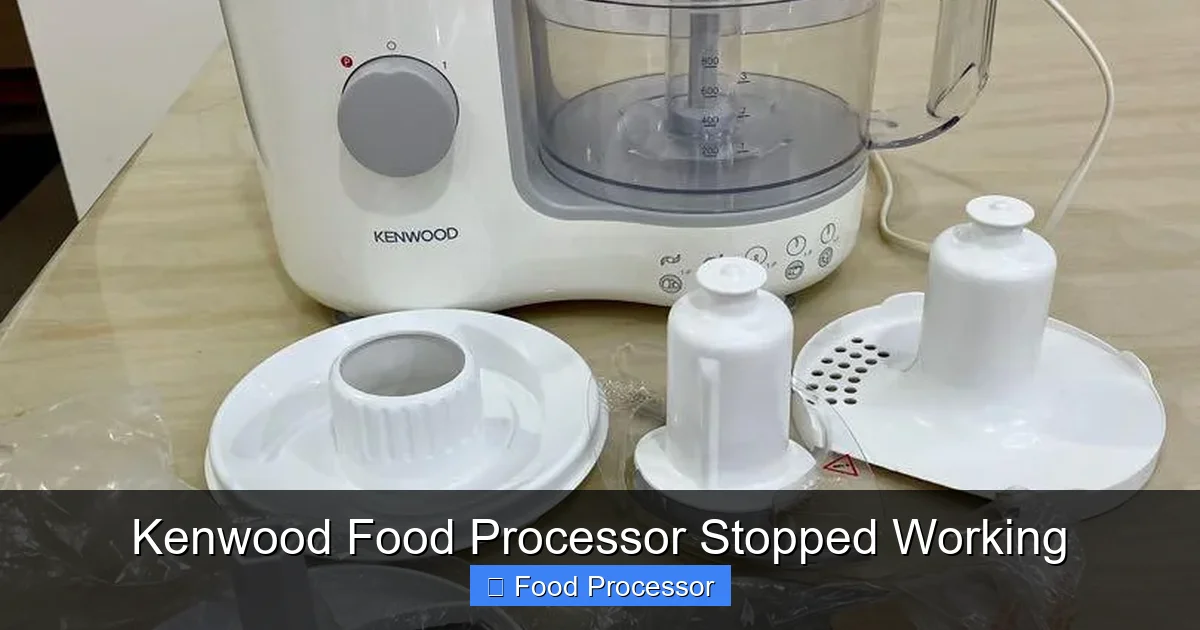
When your Kenwood food processor stops working, it can be frustrating, but many common issues have simple fixes. This guide will walk you through essential troubleshooting steps, starting with basic power checks and proper assembly, moving on to potential motor overloads or blade jams. By carefully following these instructions, you’ll learn how to diagnose and potentially repair your Kenwood food processor, saving you time and money.
Kenwood Food Processor Stopped Working
It’s a common scenario: you’re halfway through preparing a delicious meal, and suddenly, your trusty Kenwood food processor stops working. The motor goes silent, the blades refuse to spin, and panic might start to set in. Don’t worry, you’re not alone, and often, the fix is simpler than you think. A Kenwood food processor is a fantastic kitchen companion, but like any appliance, it can encounter hiccups.
This comprehensive guide is designed to help you troubleshoot why your Kenwood food processor stopped working. We’ll walk through a series of logical steps, from the most basic checks to more specific mechanical issues. By the end, you should have a good idea of what’s wrong and how to get your Kenwood food processor back to chopping, slicing, and dicing in no time. Our goal is to empower you with the knowledge to diagnose and fix many common problems yourself, saving you a trip to the repair shop or the expense of a new unit.
Key Takeaways
- Safety First: Always unplug your Kenwood food processor before attempting any inspection or repair to prevent electrical shock or injury.
- Check Power & Reset: Start with the basics – ensure it’s plugged in correctly, test the outlet, and look for a thermal reset button if your unit has one.
- Verify Proper Assembly: Most Kenwood food processor issues stem from incorrect assembly of the bowl, lid, and blade, which activate safety interlocks.
- Prevent Overload: Overloading the bowl or processing extremely hard ingredients can trip the motor’s safety cutout, causing the unit to stop working.
- Inspect Blades & Spindle: Ensure the blade is clear of obstructions and correctly seated. A jammed blade is a common reason for the motor not spinning.
- Consult the Manual: Your Kenwood food processor’s specific model manual provides tailored troubleshooting advice and diagrams.
- Consider Professional Help: If basic troubleshooting doesn’t work and you suspect a motor or electrical fault, it’s best to contact Kenwood support or a qualified technician.
Safety First: Always Unplug Your Appliance
Before you even think about troubleshooting or touching any internal parts of your Kenwood food processor, the most crucial step is to ensure it is completely disconnected from the power supply.
Unplug from the Wall Outlet
Always pull the plug directly from the wall socket. Never just rely on turning the unit off with its power button. This prevents any accidental power surges or activation that could lead to electric shock or injury while you’re inspecting the appliance.
Wait a Few Moments
Even after unplugging, it’s a good practice to wait about 30 seconds. This allows any residual electricity in the capacitors to dissipate, ensuring maximum safety.
Step 1: Check the Power Supply and Reset Button
Often, a Kenwood food processor stopped working due to something as simple as a power issue or a tripped safety mechanism. Let’s start with the basics.
Verify the Power Outlet
Is the outlet working? Sometimes, the problem isn’t with your Kenwood food processor at all, but with the power source. Try plugging another small appliance into the same outlet to see if it powers on. If it doesn’t, check your home’s circuit breaker or fuse box. A tripped breaker can be the culprit.
Visual guide about Kenwood Food Processor Stopped Working
Image source: mfaonline.co.za
Inspect the Power Cord and Plug
Examine the power cord for any visible damage, frayed wires, or bent prongs. A damaged cord can prevent power from reaching your Kenwood food processor. If you find any damage, do not use the appliance and seek professional repair or replacement of the cord.
Locate and Press the Reset Button
Many Kenwood food processors, especially newer models, are equipped with a thermal overload reset button. This is a safety feature designed to prevent the motor from overheating and getting damaged. If your Kenwood food processor stopped working suddenly after heavy use or processing tough ingredients, the motor might have overheated. The reset button is usually a small, red, or black button located on the underside or rear of the base unit. Unplug the unit, let it cool down for about 15-30 minutes, then press the reset button firmly. Plug it back in and try again. This is a very common fix!
Step 2: Ensure Correct Assembly (The Safety Interlock System)
A significant number of calls to customer service regarding a “Kenwood food processor stopped working” are resolved by simply ensuring the unit is assembled correctly. Food processors have safety interlock systems that prevent the motor from running if all parts aren’t securely in place.
Check the Bowl Placement
The main processing bowl must be correctly locked onto the motor base. There’s usually a specific way it needs to be twisted or clicked into place. Refer to your Kenwood food processor’s user manual for exact instructions. If the bowl isn’t seated properly, the safety mechanism won’t allow the motor to start.

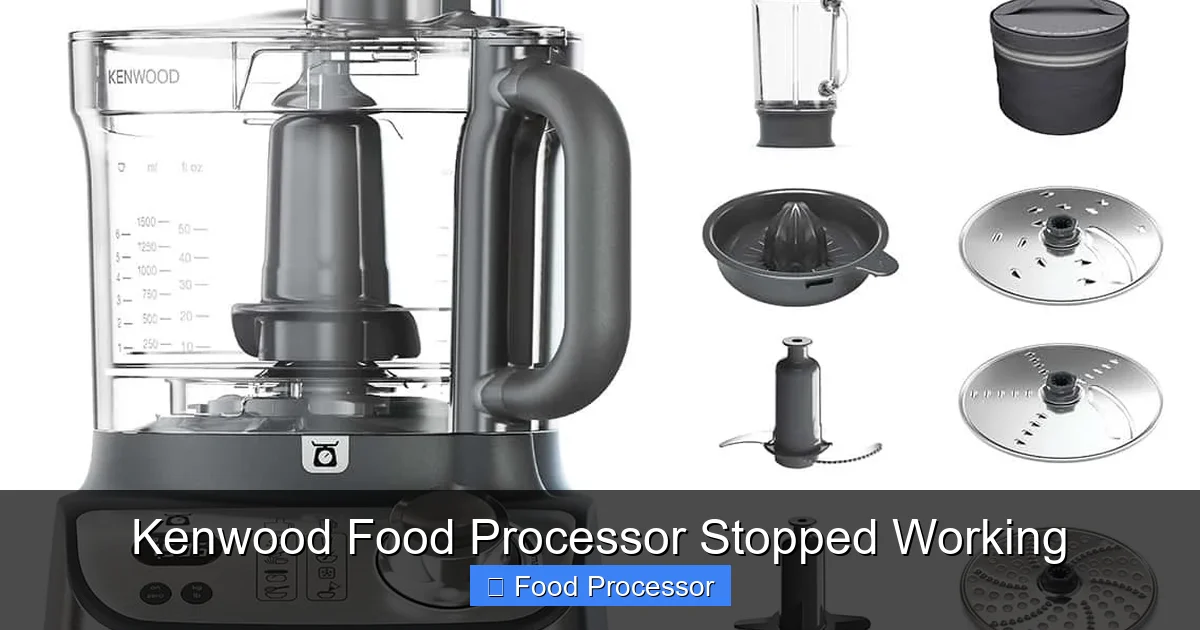
Visual guide about Kenwood Food Processor Stopped Working
Image source: hadielectronics.com.pk
Secure the Lid Properly
Just like the bowl, the lid also has to be locked into position. Look for arrows or alignment marks on the lid and the bowl. The lid often needs to be twisted clockwise until it clicks. The safety tab on the lid must engage with the corresponding switch on the motor base. This is perhaps the most common reason for a food processor stopped working issue, regardless of brand.
Install the Blade/Attachment Correctly
The processing blade or other attachment (like a slicing disc) needs to be securely placed on the central spindle before you add ingredients and put on the lid. Ensure it sits flush and doesn’t wobble excessively. If the blade isn’t correctly seated, the lid might not close properly, or the spindle might not engage, causing the Kenwood food processor to stop working.
For a detailed guide on proper assembly, you might find it helpful to review resources on how to assemble a food processor step by step.
Step 3: Address Overload and Overheating
Even robust Kenwood food processors have limits. Overloading or processing challenging ingredients can cause the motor to struggle and trip its internal safety features.
Reduce the Load
If you’ve packed the bowl full of ingredients, especially dense or heavy ones, your Kenwood food processor might be overloaded. The motor simply can’t handle the strain. Remove some of the ingredients and try processing in smaller batches. This is particularly true for tasks like making dough or processing large quantities of nuts.
Process Hard Ingredients in Batches
Foods like hard cheeses, ice, or very tough vegetables can put significant stress on the motor. Cut these items into smaller pieces before adding them to the food processor. Process them in short bursts (pulse function) rather than continuous running.
Allow the Motor to Cool Down
As mentioned with the reset button, prolonged or strenuous use can cause the motor to overheat. If your Kenwood food processor stopped working and feels warm to the touch, unplug it and let it rest for at least 30 minutes (or longer if it feels very hot). This allows the internal components to cool down and the thermal cutout to reset naturally. For optimal performance and to prevent overheating, try not to run the motor continuously for more than a minute or two without a short break.
Step 4: Inspect the Blade and Spindle
Problems with the moving parts inside the bowl are another common reason for a Kenwood food processor stopped working.
Check for Jams and Obstructions
Unplug the unit. Carefully remove the lid and blade. Look inside the bowl and around the base of the spindle for any food particles that might be lodged and preventing the blade from spinning freely. Hard bits of food, bones, or even foreign objects can get stuck. Clear out any obstructions. Be extremely careful when handling the blade, as it is very sharp.
Ensure the Blade is Seated Correctly
Sometimes, the blade might look like it’s in place but isn’t properly engaged with the spindle. Remove the blade, wipe the spindle clean, and re-seat the blade firmly. Twist it slightly to ensure it drops fully into position. If your Kenwood food processor blade is not spinning, even when the motor sounds like it’s running, this is a strong indicator of a blade or spindle issue. You can find more detailed troubleshooting steps if your food processor blade is not spinning in a dedicated guide.
Inspect for Worn or Damaged Parts
Over time, the plastic coupling between the blade and the motor spindle can wear down, especially if subjected to frequent heavy loads. Examine the drive shaft on the motor base and the corresponding opening on the underside of the blade. Look for signs of stripping, cracks, or excessive wear. If either is damaged, the blade won’t be able to turn, even if the motor is working. These parts might need to be replaced.
Step 5: Listen for Clues (Motor Sounds)
The sound (or lack thereof) your Kenwood food processor makes can provide valuable clues.
No Sound At All
If there’s absolutely no sound, humming, or clicking when you press the power button, it usually points to a complete lack of power. Revisit Step 1 (power supply, cord, outlet) and Step 2 (assembly and safety interlock). The motor isn’t even trying to start.
Humming or Whirring Sound, but No Blade Movement
If you hear the motor humming or whirring but the blade isn’t spinning, this strongly suggests a mechanical issue rather than an electrical one. This indicates power is reaching the motor, but the power isn’t being transferred to the blade. This could be due to:
- A jammed blade (Step 4)
- A stripped drive coupling on the blade or motor base (Step 4)
- A broken internal gear (less common, requires professional repair)
Burning Smell or Smoke
If you detect a burning smell or see smoke, immediately unplug the Kenwood food processor. This is a serious sign of motor damage or an electrical short. Do not attempt to use it again. It requires professional repair, or it might be time to consider a replacement unit.
Step 6: Consult Your Kenwood User Manual
Every Kenwood food processor model is slightly different. Your user manual is an invaluable resource.
Model-Specific Troubleshooting
Your manual will have a dedicated troubleshooting section that addresses common issues specific to your model. It might contain unique reset procedures, assembly tips, or known fault indicators.
Diagrams and Part Identification
The manual includes diagrams that clearly show how parts fit together and where specific features (like the reset button) are located. This can be incredibly helpful when diagnosing assembly or blade seating problems.
Contact Kenwood Support
If you’ve gone through all the steps and your Kenwood food processor stopped working is still an issue, the manual will also provide contact information for Kenwood customer support. They can offer further assistance, advise on authorized repair centers, or help you with warranty claims if applicable.
Step 7: When to Call a Professional or Consider Replacement
Sometimes, despite your best efforts, your Kenwood food processor stopped working because of a more complex problem.
Signs You Need Professional Help:
- Persistent Electrical Issues: If you suspect wiring problems, hear strange electrical noises, or notice sparks, it’s a job for a qualified electrician or appliance repair technician. Do not attempt to fix electrical faults yourself unless you are trained.
- Motor Damage: A burning smell, smoke, or a motor that simply won’t turn on (even after reset and cooling) usually indicates internal motor failure. Repairing a motor can be costly.
- Internal Gearbox Issues: If the motor runs but the blade doesn’t turn, and you’ve ruled out jams or stripped couplings, there might be a problem with the internal gearbox.
Consider Replacement If:
- Cost of Repair Exceeds Value: Get a quote for repairs. If the cost is close to or more than buying a new Kenwood food processor, replacement is often the more economical choice.
- Unit is Very Old: Older appliances are more prone to wear and tear. Parts might be harder to find, and new models offer improved features and efficiency.
- Warranty Has Expired: If your unit is out of warranty, you’ll bear the full cost of repairs.
Preventative Maintenance Tips
To keep your Kenwood food processor running smoothly and prevent it from stopping unexpectedly in the future, follow these simple maintenance tips:
Always Process in Batches
Avoid overloading. If a recipe calls for a large quantity, divide it into smaller, manageable portions for your food processor.
Cut Ingredients into Smaller Pieces
Especially for hard or fibrous foods, pre-cutting them reduces the strain on the motor and blades.
Clean Thoroughly After Each Use
Food residue can dry and harden, leading to jams or affecting the smooth operation of parts. Wash all removable parts immediately after use. Pay attention to the areas around the blade shaft and the crevices of the bowl and lid.
Store Safely
Ensure your Kenwood food processor is stored in a clean, dry place where it won’t be accidentally knocked or damaged. Keep the blades stored safely to prevent injury and damage to the blade itself.
Read the Manual for Specific Care Instructions
Some Kenwood models might have specific cleaning instructions or parts that are not dishwasher safe. Adhering to these will prolong the life of your appliance.
Conclusion
Having your Kenwood food processor stopped working can definitely disrupt your kitchen flow. However, by systematically going through the troubleshooting steps outlined in this guide, you can often pinpoint and resolve the problem yourself. Remember to always prioritize safety by unplugging the unit before inspection. From checking your power source and ensuring proper assembly to addressing potential overloads or jammed blades, most issues have a straightforward solution.
If you’ve diligently followed all the steps and your Kenwood food processor still isn’t cooperating, don’t hesitate to reach out to Kenwood customer support or consult a professional. Sometimes, an appliance reaches the end of its lifespan, or a more complex internal issue requires expert attention. Either way, you’ll be well-informed to make the best decision for your kitchen needs. Happy processing!
