
Food processor blades can become dull, damaged, or stop spinning, hindering your kitchen tasks. This guide provides comprehensive instructions on how to sharpen your food processor blades safely, identify when a blade needs replacement, and troubleshoot common issues like a blade not spinning. By following these steps, you can restore your appliance’s efficiency and ensure smooth food preparation.
Welcome to your ultimate guide on how to fix food processor blades! Your food processor is a kitchen workhorse, making quick work of chopping, slicing, shredding, and pureeing. But when its blades become dull, damaged, or simply stop working as they should, it can bring your meal prep to a screeching halt. Don’t rush to buy a new appliance just yet! Many common blade issues can be fixed right at home with a bit of know-how and some basic tools.
In this comprehensive guide, we’ll walk you through everything you need to know about diagnosing problems with your food processor blades and how to fix them. We’ll cover how to safely sharpen dull blades, when to consider replacing a damaged one, and what to do if your blade isn’t spinning at all. Our goal is to empower you to restore your food processor to its peak performance, saving you time, money, and hassle. Let’s get started and bring those blades back to life!
Key Takeaways
- Safety First: Always unplug your food processor before attempting any maintenance or repair. Blades are extremely sharp, so handle them with extreme caution and consider wearing protective gloves.
- Dull Blades Can Be Sharpened: Minor dullness can often be rectified at home using specific sharpening techniques or even aluminum foil. This can significantly extend the life of your blades.
- Identify Blade Issues: Distinguish between a dull blade, a damaged blade (bent, chipped), and a blade that isn’t spinning due to mechanical issues. Each problem requires a different approach.
- When to Replace: Seriously damaged blades (cracked, deeply chipped, bent) cannot be safely repaired and must be replaced with genuine parts specific to your food processor model.
- Troubleshoot Spinning Problems: If your blade isn’t spinning, check for obstructions, proper assembly, issues with the drive shaft, or potential motor coupling problems before assuming the blade itself is at fault.
- Regular Maintenance is Key: Proper cleaning after each use and avoiding hard, non-food items can prevent premature wear and damage, keeping your food processor blades in top condition.
- Consult Your Manual: Always refer to your food processor’s user manual for model-specific instructions on disassembly, reassembly, and part replacement, as designs can vary.
Understanding Your Food Processor Blades
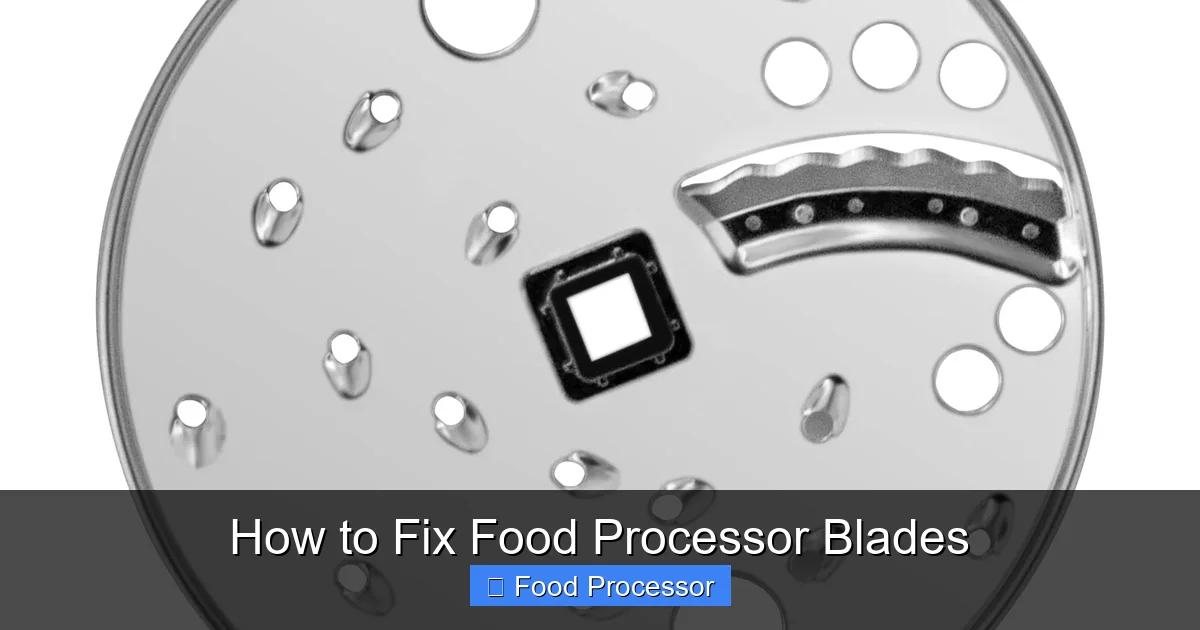
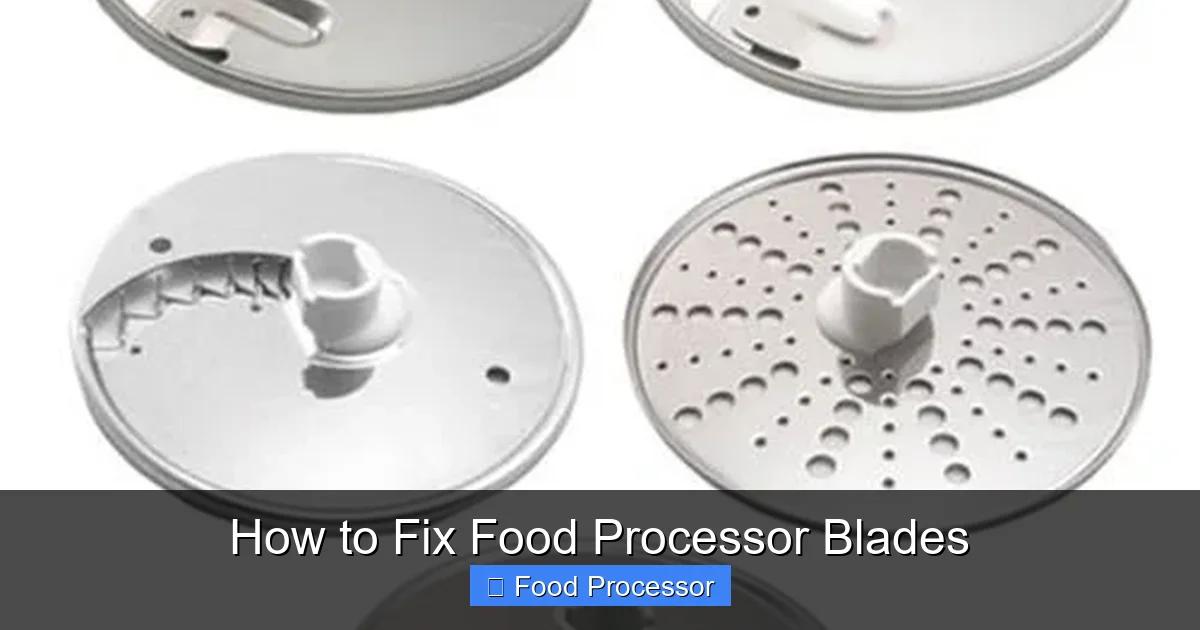
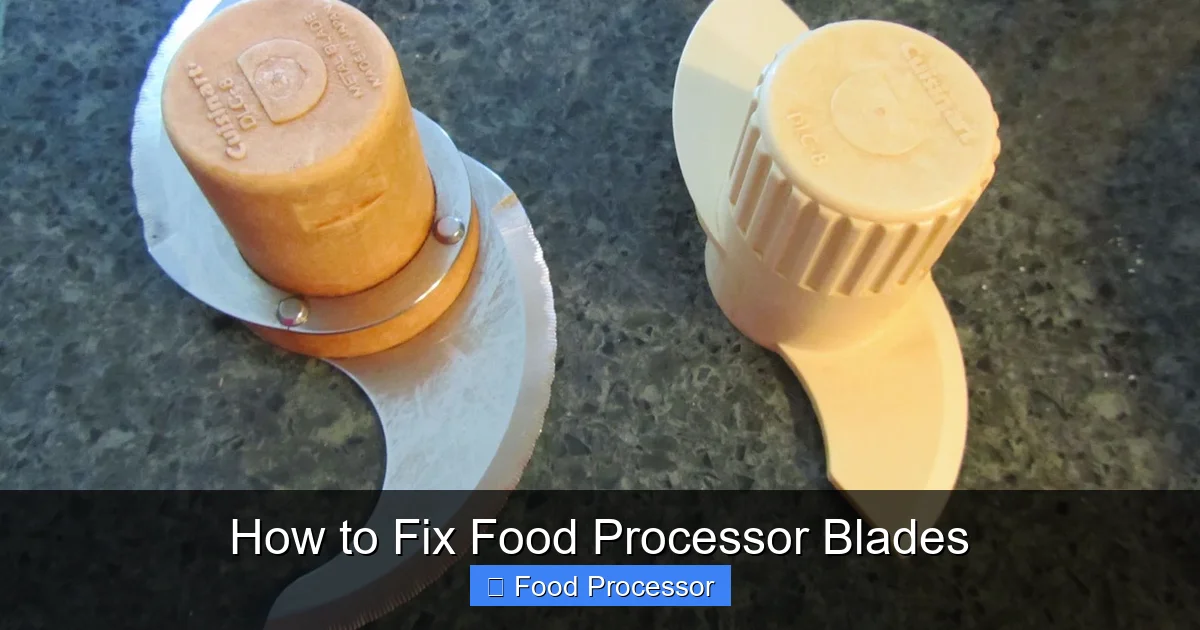
Before we dive into fixing, it’s helpful to understand the different types of blades and their functions. Most food processors come with a standard S-blade for chopping and pureeing. Many also include disc blades for slicing and shredding. While we’ll focus primarily on the S-blade for sharpening and general troubleshooting, the principles of care and replacement apply to all blade types. Always remember that food processor blades are extremely sharp, even when dull, and should always be handled with the utmost care.
Safety First: Essential Precautions
Visual guide about How to Fix Food Processor Blades
Image source: m.media-amazon.com
Working with sharp blades and electrical appliances requires extreme caution. Please read and follow these safety steps before attempting any repairs:
Always Unplug the Appliance
This is the most crucial step. Before you even think about touching the blades or any internal components, make sure your food processor is completely unplugged from the power outlet. This prevents accidental activation and potential injury.
Wear Protective Gloves
We highly recommend wearing cut-resistant gloves or thick work gloves when handling food processor blades. Even dull blades can cause serious cuts.
Work on a Stable Surface
Place your food processor on a clean, flat, and stable surface to prevent it from wobbling or falling during the repair process.
Keep Children and Pets Away
Ensure that children and pets are not in the work area to prevent accidents.
Diagnosing the Problem with Your Food Processor Blades
Visual guide about How to Fix Food Processor Blades
Image source: 4.bp.blogspot.com
Before you can fix the problem, you need to identify it. Here are the most common issues you might encounter:
Dull Blades
Symptoms:
- Food isn’t chopped cleanly; it’s torn or mashed.
- Longer processing times are needed to achieve desired consistency.
- Harder foods (like carrots or nuts) are particularly difficult to process.
Damaged Blades
Symptoms:
- Visible chips, cracks, bends, or missing pieces on the blade edge.
- Excessive vibration during operation.
- Unusual noises coming from the food processor.
- Food debris getting stuck in cracks or bent areas.
Blade Not Spinning
Symptoms:
- The motor runs, but the blade remains stationary.
- The food processor makes a grinding or whirring noise but doesn’t process food.
- The blade spins loosely or irregularly.
How to Fix Dull Food Processor Blades
A dull blade is a common issue and, fortunately, often the easiest to fix. You have a few options to sharpen your food processor blades at home.
Method 1: Sharpening with Aluminum Foil
This is a popular, quick, and surprisingly effective trick for minor dullness.
Step 1: Gather Your Materials
You’ll need about 6-8 inches of aluminum foil and water.
Step 2: Fold the Foil
Crumple the aluminum foil into a tight ball, roughly the size of a golf ball or a small egg.
Step 3: Process the Foil Ball
Place the foil ball into the food processor bowl with the S-blade installed. Add about 1-2 tablespoons of water. Secure the lid.
Step 4: Pulse and Sharpen
Pulse the food processor for about 30-60 seconds. The foil acts as an abrasive, gently honing the blade edges. The water helps create a slurry that aids in the sharpening process and prevents excessive dust.
Step 5: Clean the Blade
Carefully remove the blade (wearing gloves!) and rinse it thoroughly to remove any aluminum residue. Wash the blade and bowl as usual. Test your newly sharpened blade.
Method 2: Sharpening with a Sharpening Stone or Steel (Advanced)
For more significant dullness, or if you’re comfortable with sharpening tools, you can use a sharpening stone or steel. This requires more care and precision.
Step 1: Remove the Blade Safely
Unplug the food processor. Carefully remove the S-blade from the bowl, wearing protective gloves.
Step 2: Examine the Blade Angle
Hold the blade up to a light and observe the existing bevel angle. You want to maintain this angle for effective sharpening. It’s usually a fairly shallow angle.
Step 3: Prepare the Sharpening Stone
If using a wet stone, soak it in water according to the manufacturer’s instructions. If using a dry stone or ceramic sharpener, ensure it’s clean.
Step 4: Sharpen Each Edge
Hold the blade firmly and carefully against the sharpening stone, matching the original bevel angle. Draw the blade across the stone in one smooth motion, moving away from your body. Repeat this 5-10 times on each side of the blade, alternating sides. Use light to moderate pressure. The goal is to remove minimal material while creating a new, sharp edge.
Step 5: Test and Clean
Carefully wipe the blade clean and test its sharpness on a piece of paper (carefully!). Clean the blade thoroughly before reassembling it into your food processor.
How to Fix Damaged Food Processor Blades
If your food processor blade has visible damage like chips, cracks, or significant bends, the best and safest fix is usually replacement. Unlike a dull edge, structural damage compromises the blade’s integrity and can make it dangerous to use.
When to Replace a Blade:
- Deep Chips or Cracks: These can cause the blade to shatter during operation, sending sharp fragments into your food.
- Significant Bends: A bent blade will cause imbalance, excessive vibration, and inefficient processing, potentially damaging the food processor’s motor or drive shaft.
- Rust: While minor surface rust can sometimes be scrubbed off, extensive rust indicates a compromised blade and should be replaced for hygiene and safety.
- Missing Pieces: If a piece of the blade has broken off, it’s not only less effective but also a safety hazard if the piece ended up in your food.
How to Replace a Food Processor Blade
Step 1: Identify Your Food Processor Model
Look for the model number, usually found on the bottom or back of your food processor base. This is crucial for ordering the correct replacement part.
Step 2: Purchase a Genuine Replacement Blade
It’s highly recommended to buy a genuine replacement blade from the manufacturer or an authorized dealer. Generic blades might not fit perfectly or meet the same safety and quality standards, potentially leading to further issues.
Step 3: Safely Remove the Old Blade
Unplug the food processor. Carefully lift the old blade off the drive shaft, using protective gloves. Dispose of it safely.
Step 4: Install the New Blade
Place the new blade onto the drive shaft, ensuring it sits securely and fully engaged. You might find it helpful to review instructions on how to assemble food processor step by step for proper seating.
Step 5: Test the Food Processor
Secure the bowl and lid, then plug in the appliance. Run it for a few seconds empty to ensure there’s no excessive vibration or unusual noise. Then, try processing a small amount of food.
How to Fix a Food Processor Blade Not Spinning
If your food processor motor hums but the blade isn’t spinning, the problem isn’t with the blade itself, but with the mechanism that drives it. This can be frustrating, but often it’s a simple fix.
Step 1: Check for Obstructions
H3: Remove All Contents
Unplug the unit. Remove the bowl, lid, and blade. Check the drive shaft inside the bowl and the motor coupling on the base unit for any food debris, plastic fragments, or other foreign objects that might be jamming the mechanism. Clean thoroughly.
Step 2: Ensure Proper Assembly and Latch
H3: Reassemble Correctly
Many food processors have safety interlocks that prevent them from operating if the bowl and lid aren’t perfectly aligned and latched. Carefully reassemble the food processor:
- Place the bowl onto the base, rotating until it locks into place.
- Install the blade onto the drive shaft inside the bowl.
- Place the lid on top, rotating until it clicks and locks. Ensure the feed tube is aligned correctly.
If you’re unsure about the correct assembly, refer to your user manual or check our guide on how to assemble a food processor step by step. Sometimes, a subtle misalignment can prevent the blade from engaging.
Step 3: Inspect the Motor Coupling/Drive Shaft
H3: Examine for Damage
With the unit unplugged, inspect the small plastic or rubber coupling on the motor base (the part the blade or bowl shaft engages with) and the corresponding part on the bottom of the blade’s drive shaft.
- Worn or Stripped Coupling: If these parts are worn, stripped, or chipped, they won’t be able to grip each other to transfer power from the motor to the blade. This is a very common point of failure.
- Damaged Drive Shaft: Less common, but the metal or plastic shaft that the blade sits on might be bent or damaged.
If either the motor coupling or the blade’s drive shaft is visibly damaged, they will need to be replaced. These parts are usually specific to your food processor model and can often be ordered as spare parts.
Step 4: Check for Overload Protection
H3: Reset the Unit
Some food processors have an overload protection feature that shuts down the motor if it’s struggling with too much food or too hard an ingredient. Unplug the unit, remove some of the food, and let the motor cool down for 15-30 minutes. Some models have a reset button on the bottom – check your manual. Plug it back in and try again.
Step 5: Address Blade Not Spinning Issues Specifically
If your food processor still isn’t spinning the blade, and you’ve checked for obstructions and proper assembly, it’s worth exploring further. Sometimes, the issue isn’t with the blade or its immediate connection, but rather with the internal mechanics. You can find more detailed troubleshooting steps specifically for this problem in our dedicated article: How To Fix Food Processor Blade Not Spinning. This will guide you through more specific checks related to the drive mechanism.
Troubleshooting Other Food Processor Problems
Sometimes, a blade issue is just a symptom of a larger problem with the food processor. If you’re experiencing other malfunctions, such as the unit not turning on at all, it’s important to look at the whole picture. Our guide on Food Processor Stopped Working How To Fix It can provide broader troubleshooting tips that might help you identify and resolve issues beyond just the blades.
Maintenance Tips to Prolong Blade Life
Prevention is always better than cure! Follow these tips to keep your food processor blades in excellent condition for longer:
Clean Immediately After Use
Don’t let food dry and stick to the blades. Rinse them immediately after use. For stuck-on food, a soak in warm soapy water before scrubbing can help.
Hand Wash Blades
While some blades are advertised as dishwasher safe, harsh detergents and high heat in dishwashers can dull edges over time. Hand washing is generally gentler and prolongs sharpness. Always use a brush to clean around the blades, rather than your fingers.
Avoid Hard, Non-Food Items
Never process ice (unless your model is specifically designed for it), bones, fruit pits, or other non-food items. These can easily chip or bend your blades.
Store Blades Safely
Store blades in their protective covers or a designated blade storage area to prevent accidental dulling or damage when not in use.
Don’t Overload
Overloading your food processor forces the blades to work harder, potentially straining them and the motor. Process in smaller batches if necessary.
Use the Right Blade for the Job
Always use the appropriate blade for the task. The S-blade is for chopping, pureeing, and mixing, while disc blades are for slicing and shredding. Using the wrong blade can lead to inefficient processing and potential damage.
By taking good care of your food processor and its attachments, you’ll ensure you get the most out of your food processor for many years to come.
When to Call a Professional or Consider Replacement
While many blade issues can be fixed at home, there are times when it’s best to seek professional help or consider replacing the entire unit:
- Motor Issues: If the motor is smoking, sparking, or making loud grinding noises that aren’t related to blade engagement, it might be a motor problem, which is usually beyond home repair.
- Extensive Damage: If the food processor housing is cracked, the motor base is damaged, or multiple components are failing, the cost of repair might outweigh the cost of a new appliance.
- Safety Concerns: If you’re unsure about the repair or fear further damage or injury, it’s always best to consult a qualified technician or consider replacing the unit.
Conclusion
Fixing your food processor blades doesn’t have to be a daunting task. By carefully diagnosing the problem, whether it’s dullness, damage, or a spinning issue, you can often bring your beloved kitchen appliance back to full functionality. Remember to prioritize safety at every step, use the correct tools, and, when in doubt, refer to your owner’s manual. With these tips and techniques, you’ll be chopping, slicing, and pureeing with ease once again, extending the life of your food processor and making your kitchen adventures more enjoyable. Happy cooking!
