
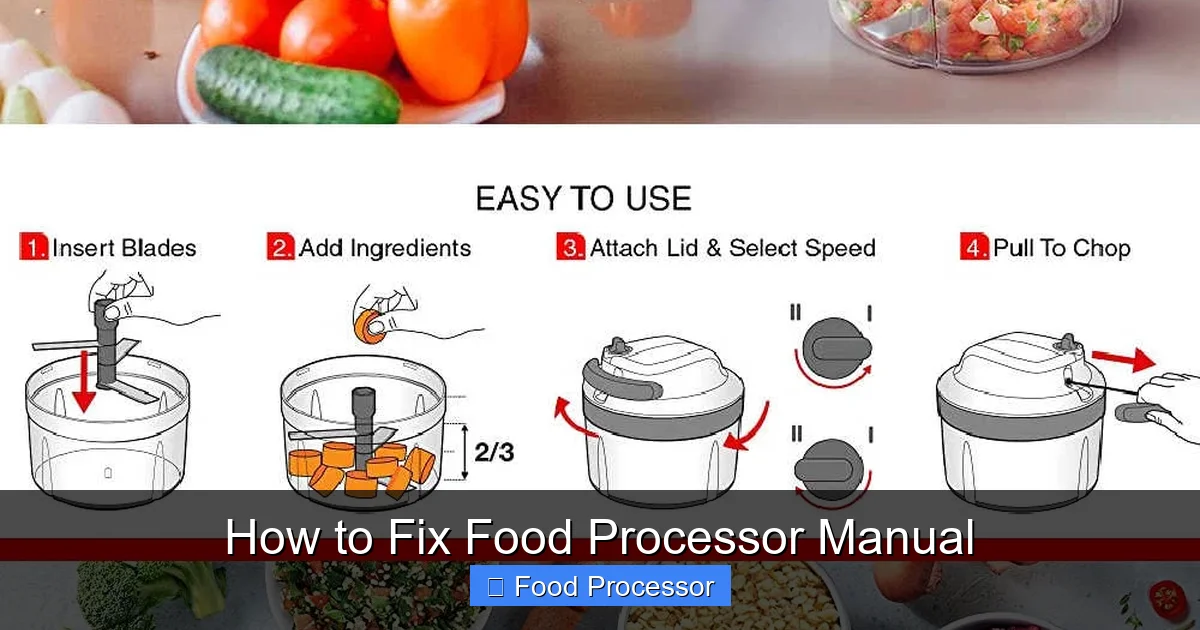
Has your food processor stopped working and you can’t find the manual? This comprehensive guide provides step-by-step instructions to troubleshoot common food processor problems. Learn how to diagnose power issues, fix a blade that isn’t spinning, stop leaks, and address other performance problems, all without needing your original food processor manual. Get your kitchen helper back in action quickly and safely.
How to Fix Food Processor Manual
Your food processor is a true kitchen workhorse, making light work of chopping, pureeing, shredding, and mixing. But what happens when it suddenly stops cooperating, and you can’t find your food processor manual? Don’t panic! While you can’t literally “fix” a paper manual, this guide is designed to help you troubleshoot and resolve common food processor problems, even if your original instruction manual has gone missing. We’ll walk you through practical steps to diagnose issues, perform simple fixes, and get your appliance back to its blending best, without the need for that elusive food processor manual.
We’ll cover everything from power issues and blades that won’t spin to leaks and strange noises. By the end of this comprehensive guide, you’ll feel confident tackling most minor food processor woes yourself, armed with the knowledge you need to keep your kitchen running smoothly.
Key Takeaways
- Safety First: Always unplug your food processor before inspection, cleaning, or attempting any repair to prevent electrical hazards and injuries.
- Basic Anatomy is Key: Understanding the fundamental parts – motor base, bowl, lid, blade, and pusher – helps you diagnose and fix issues even without a specific food processor manual.
- Check Power & Assembly First: Many common problems, especially the food processor not turning on, stem from improper power connection or incorrect assembly of the bowl and lid, which triggers safety interlocks.
- Blade Issues Often Mean Overload or Jam: If your food processor blade is not spinning or moving slowly, it often indicates the bowl is overfilled, the motor is jammed, or the blade itself is dull.
- Preventative Care is Essential: Regular cleaning, always ensuring correct assembly, and never overloading your appliance are crucial steps for extending your food processor’s lifespan and preventing most malfunctions.
- Know When to Seek Help: For serious issues like burning smells, smoke, or persistent electrical problems, stop using the appliance immediately and consider professional repair or replacement rather than a DIY fix.
Safety First: Always Unplug Your Food Processor
Before you begin any inspection, cleaning, or repair attempt, the absolute most important step is to ensure your food processor is unplugged from the power outlet. This prevents accidental activation, electrical shocks, and serious injury. Always prioritize your safety!
Understanding Your Food Processor’s Basic Anatomy (Even Without a Manual)
Even without a food processor manual, knowing the fundamental parts of your appliance is crucial for troubleshooting. Most food processors, regardless of brand, share a similar design and operating principles.
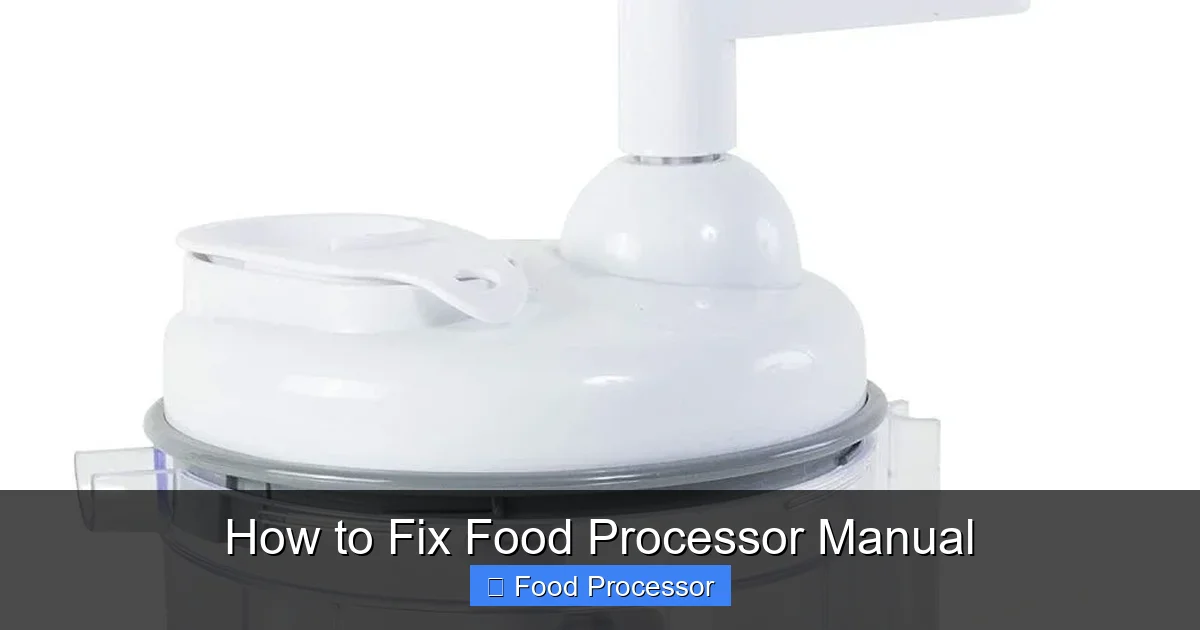
Visual guide about How to Fix Food Processor Manual
Image source: catchyfinds.com
The Base/Motor Unit
This is the heaviest part of your food processor. It houses the powerful motor that drives the blades and discs. You’ll find the control buttons (On, Off, Pulse) here, along with the electrical cord.
The Bowl
The work bowl sits on top of the motor base. It’s usually clear plastic and has a locking mechanism that needs to be properly engaged for the food processor to operate.
The Lid
The lid fits securely onto the work bowl. Like the bowl, it often has a safety interlock that must be correctly aligned and locked into place. This prevents the motor from running if the lid isn’t on securely, keeping you safe from moving blades.
The Blade/Disc
This is what does the actual processing. Most food processors come with an S-shaped chopping blade and various shredding or slicing discs. These attach to a central spindle within the bowl.
The Pusher
A plastic plunger that fits into the feed tube on the lid. It helps guide food towards the spinning blade or disc.
Common Food Processor Problems and How to Fix Them
Here’s a breakdown of the most frequent issues you might encounter and how to address them, even without a specific food processor manual.
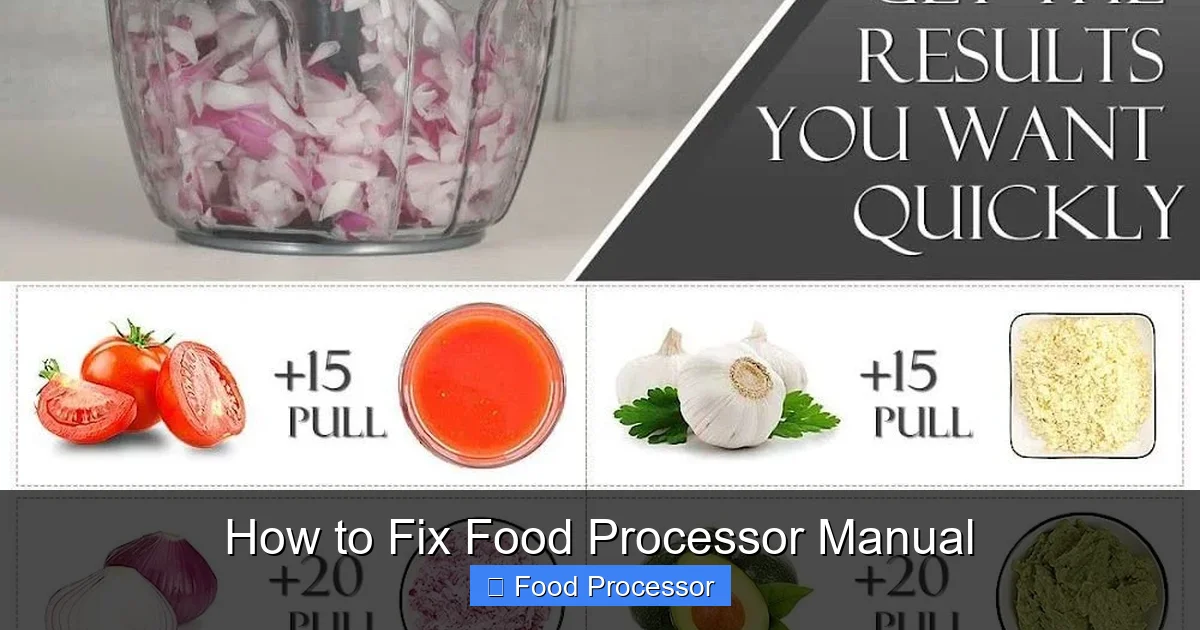
Visual guide about How to Fix Food Processor Manual
Image source: catchyfinds.com
Problem 1: Food Processor Won’t Turn On
This is perhaps the most common and often the simplest problem to fix. If your food processor won’t turn on, don’t immediately assume the worst.
Power Supply Check
- Is it plugged in? It sounds basic, but double-check that the power cord is securely plugged into a working electrical outlet.
- Check the outlet: Plug another small appliance into the same outlet to ensure it’s functional. If not, check your home’s circuit breaker or try a different outlet.
- Cord inspection: Look for any visible damage to the power cord, such as cuts or fraying. If the cord is damaged, do not use the food processor; it’s a safety hazard.
Safety Interlock System
Most modern food processors have a built-in safety interlock system. This mechanism prevents the motor from running unless the bowl and lid are correctly assembled and locked into place. This is a critical safety feature that protects users from the rapidly spinning blades.
- Bowl placement: Ensure the work bowl is properly seated on the motor base and twisted until it locks firmly. There might be arrows or markings to guide you.
- Lid alignment: Make sure the lid is correctly placed on the bowl and twisted to lock. You might hear a click or feel it snap into position. The feed tube on the lid usually aligns with a specific point on the handle or base.
- Pusher position: Some models also require the food pusher to be inserted into the feed tube for the interlock to engage.
Overheat Protection
If you’ve been using your food processor for an extended period or processing very dense ingredients, the motor might have overheated. Many models have a thermal cut-off switch that automatically shuts the unit off to prevent damage.
- Unplug and wait: Unplug the food processor and let it cool down for at least 30 minutes to an hour.
- Reduce load: When you resume, process smaller batches, and avoid continuous running for too long.
Problem 2: Blade Isn’t Spinning or Moving Slowly
A non-spinning or sluggish blade can be frustrating, especially when you have a lot of prep to do. If your food processor blade is not spinning, here’s what to look for.
Incorrect Assembly
Just like with the “won’t turn on” issue, improper assembly can prevent the blade from engaging with the motor.
- Blade placement: Ensure the blade is correctly seated on the central spindle inside the bowl before you add ingredients and put on the lid.
- Bowl and lid locks: Recheck that both the bowl and lid are securely locked into their operating positions.
Overfilling the Bowl
Every food processor has a maximum fill line, usually marked on the work bowl. Overfilling can put too much strain on the motor and prevent the blade from moving freely.
- Reduce ingredients: Remove some ingredients and process in smaller batches. This is especially important for heavy or dense foods like doughs or thick purees.
Jammed Motor
Sometimes, a large or tough piece of food can get wedged under the blade, jamming the motor.
- Clear obstruction: Unplug the unit, carefully remove the lid and blade, and inspect the bowl for any lodged food. Use a spatula or spoon (not your hands!) to dislodge it.
- Check under the bowl: Occasionally, food debris can fall into the area between the bowl and the motor base, preventing proper engagement. Clean this area thoroughly.
Dull Blade
Over time, even the sharpest blades can become dull, making them less effective at processing food and sometimes causing them to drag or seize up.
- Inspect blade: Carefully examine the blade’s edges. If they feel dull to the touch (be extremely careful!), you might need a replacement blade. Some blades can be sharpened by a professional, but replacement is often easier and safer.
Problem 3: Food Processor Leaks from the Bowl
Leaks are messy and can indicate a few different problems. If your food processor is leaking, here’s how to stop it.
Lid Not Sealed Properly
The lid needs to form a tight seal with the bowl to prevent liquids from escaping.
- Re-seat the lid: Remove the lid and firmly re-seat it, ensuring it’s locked into place. Check for any food particles preventing a snug fit.
Bowl Overfilled with Liquid
Liquid ingredients have specific maximum fill lines, which are often lower than the fill line for solid ingredients. If you go past this, leakage is almost guaranteed.
- Reduce liquid: Pour out some of the liquid. When processing soups or sauces, always work in smaller batches.
Damaged Seal or Gasket
Many food processor lids have a rubber gasket or seal along the rim. If this is cracked, torn, or missing, it won’t create a watertight seal.
- Inspect the gasket: Examine the rubber seal on the lid for any signs of wear or damage.
- Clean the gasket: Food debris can get trapped under the gasket, preventing a good seal. Remove the gasket (if possible) and clean it thoroughly, then reinsert it correctly.
- Replacement: If the gasket is damaged, you may need to order a replacement part from the manufacturer or an appliance parts supplier.
Problem 4: Excessive Noise or Vibration
A certain amount of noise is normal for a powerful appliance, but if your food processor suddenly becomes much louder, shakes excessively, or makes grinding noises, it’s time to investigate.
Improper Assembly
Once again, an improperly assembled bowl, lid, or blade can cause rattling and vibration.
- Check all components: Ensure everything is correctly locked into place – the bowl on the base, the blade on the spindle, and the lid on the bowl.
Unstable Surface
If your food processor is on an uneven or flimsy countertop, it can vibrate more than usual.
- Move to stable surface: Place the unit on a sturdy, flat surface. Rubber feet on the base should help dampen vibrations.
Motor Issues (Less Common DIY Fix)
If you hear grinding or a high-pitched whine that wasn’t there before, it could indicate an issue with the motor or its coupling mechanism. This is generally not a DIY fix and may require professional attention or replacement.
- Listen carefully: Try to pinpoint the source of the sound. If it sounds like grinding gears, stop using the unit.
Problem 5: Food Not Processing Evenly
You want a consistent chop, not some pieces pureed and others still chunky. This is a common complaint, even with a food processor manual in hand.
Too Much or Too Little Food
Both extremes can lead to uneven processing.
- Too much: The blades can’t effectively circulate all the food, leading to some parts being over-processed and others untouched. Process in smaller batches.
- Too little: Small amounts of food can simply get tossed around without making consistent contact with the blade. For very small quantities, sometimes hand-chopping is more effective, or you might need a mini food processor.
Incorrect Blade/Disc
Ensure you are using the correct attachment for your desired task.
- Chopping blade: For general chopping, mincing, and pureeing.
- Slicing/shredding discs: For uniform slices or shreds of vegetables and cheese. Never use the chopping blade for these tasks.
Pulsing Technique
Using the “Pulse” function rather than continuously running the motor gives you more control and generally leads to more even results.
- Short bursts: Use short bursts, stopping to scrape down the sides of the bowl with a spatula (after unplugging and removing the blade!) if necessary.
Problem 6: Burning Smell or Smoke
This is a serious warning sign! If you detect a burning smell or see smoke, immediately turn off and unplug your food processor. Do not attempt to use it again.
- Unplug immediately: This usually indicates a motor malfunction or electrical short.
- Do not use: Continuing to operate the unit could lead to a fire hazard.
- Professional assessment: The appliance likely needs professional repair or replacement. Attempting to fix this yourself without expert knowledge is dangerous.
Problem 7: Buttons Not Responding
If your control buttons feel sticky or don’t seem to respond, there could be a simple solution.
Clean Controls
- Food residue: Food particles, grease, or liquids can sometimes get into the crevices around the buttons, making them stick or preventing them from making proper contact.
- Wipe clean: With the unit unplugged, use a damp cloth (not wet) and a little mild detergent to carefully clean around the buttons. Use a cotton swab for tight spots. Ensure no moisture gets into the electrical components.
Power Cycle
- Reset: Sometimes, simply unplugging the unit for a minute or two and then plugging it back in can reset the internal electronics and resolve minor glitches.
General Troubleshooting Tips for Any Food Processor
Even without your specific food processor manual, these general tips can help.
Refer to Online Resources
If you know your specific brand and model number (usually found on a sticker on the bottom of the motor base), you can often find a digital version of the food processor manual or troubleshooting guides on the manufacturer’s website. YouTube also has many helpful videos showing common repairs.
Contact Manufacturer Support
If your food processor is still under warranty or you’re stuck on a problem, contacting the manufacturer’s customer support can provide specific advice for your model. They might offer troubleshooting steps or direct you to authorized service centers.
Consider Professional Repair
For complex electrical issues, motor problems, or if you’re uncomfortable with DIY repairs, it’s always best to consult a professional appliance repair technician. Attempting repairs beyond your skill level can be dangerous and cause further damage.
Preventative Maintenance to Avoid Future Issues
A little care goes a long way in extending the life of your food processor and preventing the need to “fix” it (or its missing manual!).
Proper Cleaning
Always clean your food processor immediately after use. Disassemble all removable parts (bowl, lid, blades, pusher) and wash them thoroughly. Most are top-rack dishwasher safe, but check for specific instructions. Wipe down the motor base with a damp cloth, never immersing it in water.
Correct Assembly
Make it a habit to assemble your food processor correctly every time. Ensure the bowl clicks into place, the blade is seated properly, and the lid is securely locked. This prevents engagement issues and ensures safe operation.
Don’t Overload
Respect the maximum fill lines for both solid and liquid ingredients. Overloading strains the motor and can lead to uneven processing, blade jams, and premature wear. When learning how to use a food processor to chop vegetables, remember to start with smaller batches.
Store Safely
Store your food processor in a clean, dry place. Keep blades and discs in their protective cases to prevent damage and accidental cuts. Keep all parts together so you don’t lose components that are vital for assembly and operation.
When to Call for Professional Help or Replace Your Unit
While many food processor issues can be fixed at home, some problems warrant professional attention or indicate it’s time for a new appliance.
- Electrical problems: Sparks, smoke, burning smells, or persistent tripping of circuit breakers are clear signs to stop using the unit immediately and seek professional help or replace it.
- Motor failure: If the motor runs but the blade doesn’t spin, even after checking assembly and for jams, it could be a gear or coupling issue, which is usually best handled by a technician.
- Under warranty: If your food processor is still under warranty, contact the manufacturer before attempting any repairs, as DIY fixes might void it.
- Cost of repair vs. replacement: For older units, compare the estimated cost of repair with the price of a new food processor. Sometimes, investing in a new, more efficient model is the more economical choice in the long run. If your food processor stopped working permanently, it might be time for an upgrade.
Conclusion
Even without the original food processor manual, troubleshooting and fixing common issues with your kitchen appliance is often straightforward. By following these step-by-step instructions, prioritizing safety, and understanding the basic mechanics of your food processor, you can resolve many problems yourself. Remember to always unplug the unit before inspection, check the power supply and safety interlocks, and practice good preventative maintenance. With a little care and attention, your food processor will be back to helping you create culinary masterpieces in no time!
