

When your Kitchenaid food processor doesn’t turn on, it can be frustrating. This comprehensive guide walks you through essential troubleshooting steps, focusing on common issues like power supply problems, incorrect assembly, and overload protection. You’ll learn how to systematically check each component to get your appliance working again quickly and safely.
Kitchenaid Food Processor Doesn’t Turn On
It’s a common kitchen dilemma: you’ve got ingredients prepped, a recipe ready, and then… nothing. Your trusty Kitchenaid food processor doesn’t turn on. The silence can be incredibly frustrating, especially when you’re in the middle of preparing a meal. Don’t worry, you’re not alone, and often, the fix is simpler than you might think. Many times, a Kitchenaid food processor that’s not turning on is due to a minor oversight or a safety feature doing its job.
This comprehensive guide is designed to help you systematically troubleshoot why your Kitchenaid food processor isn’t powering up. We’ll cover everything from basic power checks to intricate safety interlocks, giving you the knowledge to diagnose and, hopefully, resolve the issue yourself. By following these step-by-step instructions, you’ll be well on your way to getting your Kitchenaid food processor back in action, chopping, slicing, and pureeing with ease. Let’s dive in!
Key Takeaways
- Safety First: Always unplug your Kitchenaid food processor before performing any inspection or troubleshooting to prevent electric shock.
- Check the Power Supply: Verify that the wall outlet is working, the power cord is undamaged, and the circuit breaker hasn’t tripped. These are the simplest fixes.
- Ensure Proper Assembly: Kitchenaid food processors have safety interlocks. The bowl, lid, and pusher must be correctly aligned and locked into place for the appliance to power on.
- Reset Overload Protection: If the motor overheated or was overloaded, your Kitchenaid food processor might have a built-in reset button or simply need time to cool down before it will operate again.
- Inspect for Blockages: Sometimes, food debris or a jammed blade can prevent the motor from starting. Always clear the work bowl and inspect the spindle.
- Consult the Manual: Your Kitchenaid food processor’s user manual contains model-specific troubleshooting tips and diagrams for proper assembly.
Step 1: Prioritize Safety – Unplug Your Appliance
Before you touch anything, always, *always* make sure your Kitchenaid food processor is unplugged from the wall outlet. This is the golden rule of appliance troubleshooting. Electricity is powerful, and taking this simple step protects you from accidental starts or electrical shock. Your safety is paramount.
Step 2: Check the Power Supply
One of the most frequent reasons a Kitchenaid food processor doesn’t turn on is a simple power issue. It might sound obvious, but it’s often the culprit!
Verify the Wall Outlet
First things first, let’s make sure the outlet itself is working. Your Kitchenaid food processor needs a live connection.
- Test with another appliance: Plug another small appliance (like a lamp or a phone charger) into the same outlet. If that appliance doesn’t work either, the issue is with your outlet, not the food processor.
- Try a different outlet: If the first outlet seems dead, try plugging your Kitchenaid food processor into a different, known-working outlet in your kitchen or home. This helps confirm if the original outlet is faulty.

Visual guide about Kitchenaid Food Processor Doesn’t Turn On
Image source: storables.com
Inspect the Power Cord
The power cord can sometimes suffer damage, especially if it’s been crimped, pulled, or run over by a kitchen cart.
- Visual inspection: Carefully examine the entire length of the power cord for any visible signs of damage. Look for cuts, fraying, exposed wires, or kinks.
- Plug inspection: Check the prongs on the plug. Are they bent or loose? A damaged plug can prevent proper contact.
If you find any damage to the cord or plug, *do not use the appliance*. A damaged cord is a fire and shock hazard. It’s best to contact Kitchenaid customer service or a qualified repair technician for assistance, as replacing the cord yourself might void warranties or be unsafe.
Check the Circuit Breaker
Sometimes, high-wattage appliances can trip a circuit breaker, cutting off power to an entire section of your home.
- Locate your electrical panel: This is usually in a basement, garage, or utility closet.
- Identify tripped breakers: Look for any breaker switches that are in the “OFF” position or are halfway between “ON” and “OFF.”
- Reset the breaker: If you find a tripped breaker, firmly push it all the way to the “OFF” position, then firmly push it back to the “ON” position.
If the breaker trips again immediately after you plug in or try to use your Kitchenaid food processor, there might be a deeper electrical issue, or the food processor itself could be drawing too much power. In this case, consult an electrician.
Step 3: Verify Proper Assembly – The Most Common Fix
Kitchenaid food processors, like most modern food processors, are designed with safety in mind. They have interlocks that prevent the motor from engaging unless all components are correctly assembled and locked into place. This is by far the most common reason a Kitchenaid food processor doesn’t turn on. If your food processor stopped working or won’t start, checking assembly is your next crucial step.
Ensure the Bowl is Securely Placed
The work bowl must be correctly seated on the motor base.
- Align and twist: Most Kitchenaid food processor bowls have a specific orientation. Look for arrows or alignment marks on the bowl and the motor base. Place the bowl on the base and twist it clockwise until you hear a click or feel it lock firmly into place. It shouldn’t wiggle.
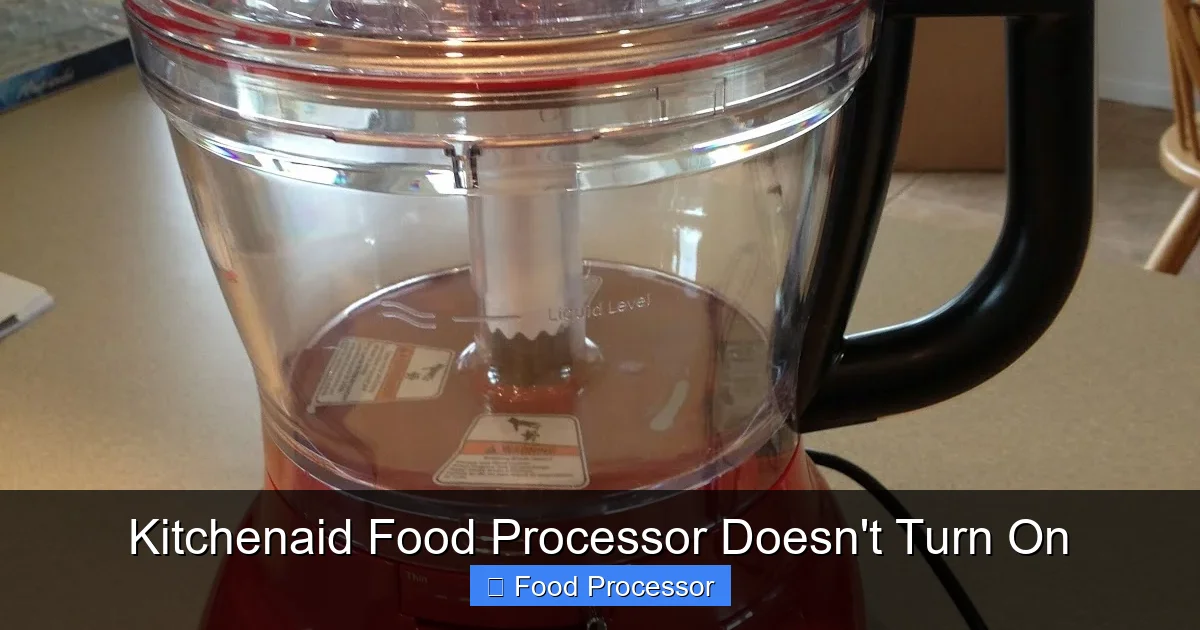
Visual guide about Kitchenaid Food Processor Doesn’t Turn On
Image source: 3.bp.blogspot.com
Check the Lid Alignment and Lock
The lid is another critical safety interlock point.
- Align with the bowl handle: The lid usually has a tab or a part that aligns with the bowl’s handle. Place the lid on the bowl, aligning these points.
- Twist to lock: Just like the bowl, you’ll typically need to twist the lid clockwise until it locks securely. You should hear a click or feel it engage. The appliance will not power on if the lid is even slightly misaligned. This safety mechanism is there to prevent injuries from spinning blades.
Properly Position the Pusher/Feed Tube Interlock
Some Kitchenaid models have an additional safety interlock involving the food pusher (also known as the feed tube cover).
- Insert the pusher: Make sure the food pusher is fully inserted into the feed tube opening of the lid. Some models require the pusher to be in place for the interlock to complete the circuit.
- Check for alignment pins: Some pushers have small pins that interact with sensors in the lid. Ensure these are not bent or broken.
Confirm Blade/Disc Spindle is Correctly Seated
While not always a direct cause for “not turning on” (it’s more common for the motor to hum but the blade not spin), an improperly seated blade or disc can sometimes interfere with the overall assembly interlock or prevent the motor from sensing it’s ready to operate.
- Place blade first: Always place the blade or disc on the central spindle *before* adding your ingredients and securing the lid.
- Ensure it sits flush: The blade should sit firmly on the spindle without excessive wobble. If you’re unsure how to assemble food processor components correctly, refer to your owner’s manual for model-specific diagrams and instructions. Proper assembly is key to its operation.
Practical Tip: If you’re struggling to get the bowl or lid to lock, remove all components and try assembling them again from scratch, paying close attention to the alignment arrows and listening for the click. Sometimes a small piece of food stuck in the locking mechanism can prevent it from engaging.
Step 4: Reset the Overload Protection
Modern Kitchenaid food processors come with built-in overload protection. This safety feature prevents the motor from burning out if it’s subjected to too much stress, such as processing extremely hard ingredients or if the bowl is overloaded. If your food processor was working fine and suddenly stopped and now your Kitchenaid food processor doesn’t turn on, this is a very strong possibility.
Allow the Motor to Cool Down
If you were processing a dense mixture or ran the appliance for an extended period, the motor might have overheated.
- Unplug and wait: Unplug the food processor and let it sit for at least 15-30 minutes. This gives the motor time to cool down and the thermal cutout switch (if present) to reset.
Clear the Contents and Restart
An overloaded bowl can also trigger overload protection.
- Remove ingredients: After cooling, remove all ingredients from the work bowl.
- Check for a reset button: Some Kitchenaid models have a visible “reset” button, usually on the bottom or back of the motor base. If yours does, press it.
- Reassemble and test: Reassemble the empty food processor (ensuring proper alignment of all parts) and plug it back in. Try to turn it on with an empty bowl. If it powers on, you likely overloaded it previously. Next time, process ingredients in smaller batches.
Step 5: Inspect for Blockages or Damage
Sometimes, an internal blockage or a damaged component can prevent the motor from starting.
Clear Food Debris and Blockages
Small pieces of food can sometimes get lodged in critical areas, especially around the spindle or the locking mechanisms.
- Thorough cleaning: Disassemble all removable parts (bowl, lid, blade/disc, pusher). Wash them thoroughly. Pay special attention to the central spindle where the blade sits, and the locking tabs on the bowl and lid. Ensure no food particles are obstructing these areas.
Check for Broken or Worn Parts
Over time, components can wear out or break.
- Examine plastic parts: Look for cracks, chips, or bent tabs on the bowl, lid, and pusher. Even a tiny crack in a critical area can prevent the safety interlock from engaging.
- Inspect the spindle: Check the central spindle on the motor base and the corresponding part on the blade. Are they intact? Are they worn down?
- Motor base examination: Look underneath the motor base for any loose screws, wires, or unusual signs of damage.
If you find broken parts, replacement might be necessary. Contact Kitchenaid customer service or check their website for replacement parts specific to your model. You can often find detailed information about what to do if your food processor won’t turn on by checking the manufacturer’s official resources.
Step 6: Test Different Settings/Modes
While less common for a complete “no power” issue, sometimes a specific setting might be faulty.
- Try ‘Pulse’ and ‘On’: If your Kitchenaid food processor has both a ‘Pulse’ and a continuous ‘On’ setting, try both. Occasionally, one switch mechanism might fail while the other still works.
- Check speed settings: If your model has multiple speed settings, try cycling through them.
If only one setting works, it indicates a problem with the switch or control panel, which usually requires professional repair or replacement.
Step 7: Motor Examination (Gentle Listening)
If you’ve gone through all the above steps and your Kitchenaid food processor still doesn’t turn on, it’s time to consider the motor itself.
Listen for a Hum
Plug in your food processor (ensuring proper assembly) and try to turn it on.
- No sound at all: If there’s absolutely no sound, hum, or indicator light, the problem is still likely with the power supply, interlocks, or a complete motor failure.
- A faint hum, but no action: If you hear a faint hum but the blade doesn’t spin, the motor might be trying to engage but is blocked. This could be due to a jammed internal mechanism or a faulty capacitor. You might also want to investigate why your food processor blade is not spinning, as this is a related but distinct issue from the motor not turning on at all.
Do not force it if you hear a hum but no movement. Unplug it immediately. Further use could damage the motor. For a comprehensive guide on resolving issues where your appliance won’t power on, consult resources like how to fix a food processor that is not turning on.
Consider Carbon Brushes (Older Models)
Some older Kitchenaid food processor models (especially those with universal motors) use carbon brushes. These can wear out over time. If your model is older and has replaceable brushes, this could be a reason for motor failure. However, most modern Kitchenaid food processors use brushless motors or motors where brushes are not user-replaceable. Check your manual.
Step 8: Consider Professional Repair or Replacement
If you’ve meticulously followed all the troubleshooting steps and your Kitchenaid food processor doesn’t turn on, it’s time to consider the next course of action.
When to Call a Professional
- No power after all checks: If there’s no power, no lights, and no hum after verifying the outlet, cord, circuit breaker, and assembly.
- Motor issues: If you hear a hum but no movement, or if there’s a burning smell, immediate professional attention is needed.
- Damaged internal components: If you suspect or find internal damage that you cannot safely or easily fix.
Kitchenaid has an excellent customer service and authorized repair network. Providing them with your model number and a detailed description of the symptoms will help them assist you efficiently. Sometimes, a general guide on how to fix a food processor that has stopped working can offer broader insights into when to repair versus replace.
When to Consider Replacement
- Cost of repair vs. new unit: If the repair cost approaches or exceeds the price of a new Kitchenaid food processor, replacement is usually the more economical choice.
- Age of the appliance: Older models might be harder to find parts for, and a new model might offer improved features and efficiency.
- Warranty status: Check if your Kitchenaid food processor is still under warranty. If so, Kitchenaid might repair or replace it at no cost.
Practical Tips and Prevention
To minimize the chances of your Kitchenaid food processor not turning on in the future, keep these tips in mind:
- Read Your Manual: Always refer to your specific model’s user manual. It contains detailed assembly instructions, troubleshooting tips, and safety warnings that are unique to your appliance.
- Don’t Overload: Avoid overfilling the work bowl or trying to process ingredients that are too hard or dense for your food processor. This prevents motor strain and triggers overload protection.
- Regular Cleaning: Keep all parts clean and free of food debris, especially around locking mechanisms and the spindle.
- Proper Storage: Store your food processor in a clean, dry place where the cord won’t be damaged and components aren’t stressed.
- Gentle Operation: Don’t force the lid or bowl into place. If it’s not fitting, something is likely misaligned.
Conclusion
It can be incredibly frustrating when your Kitchenaid food processor doesn’t turn on, especially when you’re relying on it for a recipe. However, by systematically going through these troubleshooting steps, you can often pinpoint and resolve the problem yourself. Remember to always prioritize safety by unplugging the appliance before any inspection. Most issues stem from power supply problems or, most commonly, improper assembly.
If you’ve checked everything from the outlet to the lid’s alignment and still no luck, it might be time to consider contacting Kitchenaid customer service or a professional technician. With a little patience and careful attention to detail, you’ll likely have your Kitchenaid food processor humming happily again, ready to tackle your next culinary adventure.
