

When your Kitchenaid food processor isn’t working, it can be incredibly frustrating, especially when you’re in the middle of a recipe. This comprehensive guide will help you diagnose and fix the most common problems, from simple assembly errors and power issues to more complex motor or blade malfunctions. By following our step-by-step troubleshooting process, you’ll be able to identify the root cause and potentially get your Kitchenaid food processor back to chopping, slicing, and dicing in no time.
Kitchenaid Food Processor Doesn’t Work
There’s nothing quite as frustrating as being in the middle of preparing a delicious meal, only to have your trusty Kitchenaid food processor suddenly refuse to cooperate. Whether it won’t turn on, the blade isn’t spinning, or it just stops mid-chop, a malfunctioning Kitchenaid food processor can bring your kitchen operations to a screeching halt. But don’t despair! Many common issues with Kitchenaid food processors can be resolved with a bit of systematic troubleshooting.
This comprehensive guide is designed to help you diagnose and fix the most frequent problems that cause a Kitchenaid food processor to stop working. We’ll walk you through a series of logical steps, from the simplest checks to more intricate inspections, empowering you to get your appliance back in action. Our goal is to save you time, money, and the hassle of replacing a perfectly good machine. Let’s get your Kitchenaid food processor working again!
Key Takeaways
- Safety First: Always prioritize safety by unplugging your Kitchenaid food processor from the power source before performing any inspection or troubleshooting to prevent electric shock.
- Check Assembly Thoroughly: The most frequent reason a Kitchenaid food processor fails to start is improper assembly of the bowl, lid, and food pusher. Ensure all components are securely locked into place according to your model’s instructions.
- Verify Power Supply: Confirm that the power cord is fully inserted, the electrical outlet is functional, and the circuit breaker hasn’t tripped. Try plugging another appliance into the same outlet to test it.
- Address Overload Protection: Kitchenaid food processors feature a thermal overload protection system. If the motor suddenly stops, it may be due to overloading or overheating. Allow the unit to cool down for at least 30 minutes before trying again.
- Inspect Blade and Spindle: Ensure the blade attachment is correctly seated on the central spindle and that no food debris is obstructing its movement. A damaged or improperly installed blade will prevent operation.
- Lid Safety Interlock: The lid’s safety interlock mechanism is crucial. The food processor will not activate unless the lid is correctly positioned and locked, engaging the safety tab with the base.
- Consult Your Manual: For persistent issues or specific model nuances, always refer to your Kitchenaid food processor’s owner’s manual for detailed diagrams and troubleshooting unique to your appliance.
Step 1: Safety First – Unplug and Assess
Before you start poking around your Kitchenaid food processor, the absolute most important step is to ensure your safety. Electrical appliances can be dangerous, and you should never troubleshoot a device that is still connected to power.
Unplug the Unit
Always, always unplug your Kitchenaid food processor from the wall outlet before you do anything else. This eliminates any risk of electric shock while you’re inspecting the components. This also gives the appliance a chance to “reset” itself in some cases, much like restarting a computer.
Clear the Bowl
Once unplugged, carefully remove any food items or liquids from the work bowl. If there’s a blade or disk inside, remove it with extreme caution. Blades are very sharp, so handle them by the central hub, not the cutting edge. This step provides a clear view of the bowl, spindle, and blade assembly area.
Step 2: Check the Power Supply
It might seem obvious, but often the simplest explanation is the correct one. A power issue is a common culprit when your Kitchenaid food processor doesn’t work.
Verify the Power Cord Connection
Ensure the power cord is fully and securely plugged into both the food processor’s base and the electrical wall outlet. Sometimes, a loose connection is all it takes to prevent power from reaching the unit.
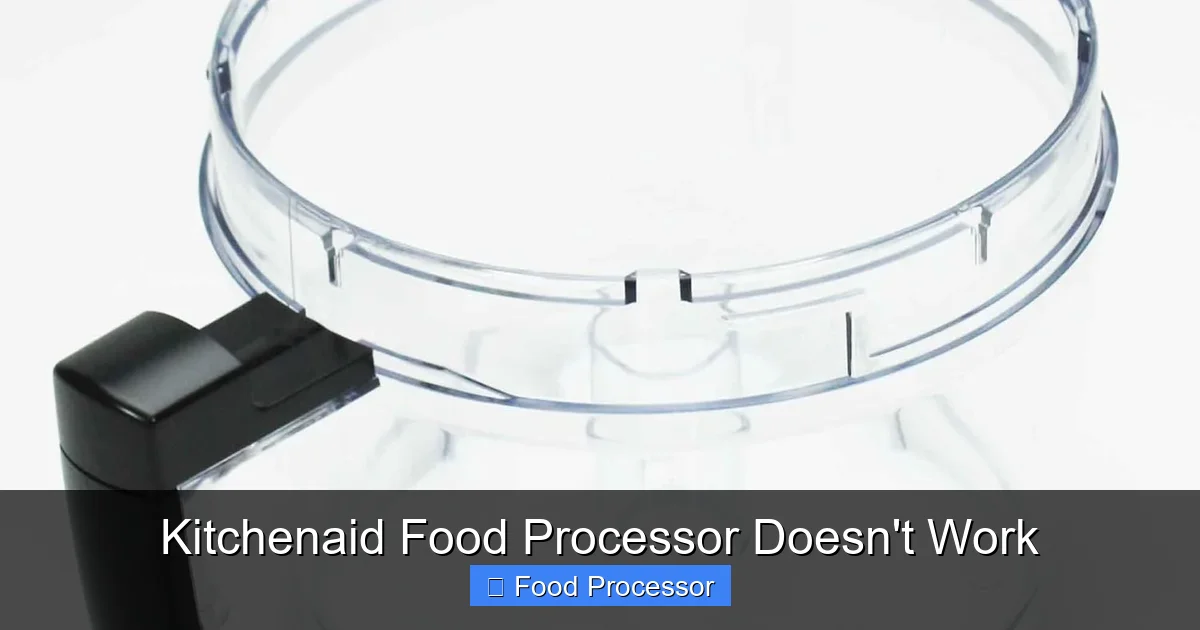
Visual guide about Kitchenaid Food Processor Doesn’t Work
Image source: m.media-amazon.com
Test the Electrical Outlet
Plug another small appliance (like a lamp or a phone charger) into the same outlet where your Kitchenaid food processor was plugged in. If the other appliance doesn’t work either, the issue isn’t with your food processor but with the outlet itself. In this scenario, check your household’s circuit breaker panel to see if a breaker has tripped. Resetting a tripped breaker might solve the problem. If you’re experiencing power issues and your food processor won’t turn on, you might find more comprehensive troubleshooting steps in a guide about what to do if your food processor won’t turn on.
Inspect the Power Cord for Damage
Carefully examine the entire length of the power cord for any visible signs of damage, such as fraying, cuts, or pinched spots. A damaged cord can prevent power flow or, worse, pose a safety hazard. If the cord is damaged, it will need to be replaced by a qualified technician or the unit may need servicing.
Step 3: Verify Proper Assembly (Bowl, Lid, Pusher)
This is, without a doubt, the most common reason a Kitchenaid food processor doesn’t work. Modern food processors have built-in safety mechanisms that prevent operation if all components are not correctly assembled and locked into place.
The Work Bowl
Ensure the work bowl is properly seated on the motor base and rotated clockwise until it securely locks into position. You’ll usually hear a click or feel it firmly snap into place. Different Kitchenaid models may have slightly different locking mechanisms, so refer to your manual.

Visual guide about Kitchenaid Food Processor Doesn’t Work
Image source: qvc.scene7.com
The Lid
The lid is perhaps the most critical component for the safety interlock. Place the lid onto the work bowl and rotate it clockwise until it aligns with the handle and locks securely. There’s often an arrow on the lid that needs to align with an arrow or a locking symbol on the handle. If the lid is even slightly ajar, the Kitchenaid food processor’s safety mechanism will prevent it from starting. For detailed visual guidance, you can often find help on how to assemble a food processor step by step.
The Food Pusher/Feed Tube
Many Kitchenaid food processors require the food pusher to be inserted into the feed tube for operation, especially larger models. This is another safety feature. Make sure it’s fully inserted and seated correctly. Some models even have a secondary interlock in the food pusher itself, preventing operation if it’s not positioned just right.
Check for Obstructions
Sometimes a small piece of food can get lodged between the bowl and the base, or the lid and the bowl, preventing a complete lock. Clear any debris before reassembling.
Step 4: Inspect the Blade and Spindle
If your Kitchenaid food processor hums or tries to start but the blade isn’t spinning, or if it makes unusual noises, the issue might be with the blade or its connection to the motor’s spindle.
Proper Blade Placement
Ensure the correct blade or disc is being used for your task and that it is securely seated on the central drive spindle within the work bowl. The blade typically drops onto the spindle and should rest flat against the bottom of the bowl or the spindle extension. If the blade isn’t sitting correctly, it won’t engage with the motor’s drive shaft.
Check for Obstructions
Even small pieces of food, like a forgotten carrot chunk or a hard nut, can jam the blade and prevent it from spinning. Remove the blade (carefully!) and clear any debris from under and around it, as well as from the spindle area. Sometimes, if your food processor blade is not spinning, it could be a combination of a loose blade and food debris.
Examine the Blade for Damage
Inspect the blade for any signs of damage, such as bent or dull edges, or cracks in the plastic hub. A damaged blade might not spin freely or could cause balance issues. If the blade is damaged, it should be replaced.
Inspect the Spindle and Drive Coupling
Look at the central spindle itself. Is it bent, chipped, or worn? Also, examine the drive coupling on the motor base (the part that the blade assembly connects to). Are its gears or splines worn down, chipped, or stripped? If these parts are damaged, the motor might run, but it won’t be able to transfer power to the blade.
Step 5: Address Overheating and Overload Protection
Kitchenaid food processors are designed with safety in mind. One crucial feature is thermal overload protection.
Understanding Overload Protection
If you’re processing a large amount of very dense or hard ingredients (like kneading stiff dough, grinding coffee beans for extended periods, or making thick nut butter), the motor can get overworked and overheat. When this happens, the Kitchenaid food processor’s built-in thermal switch automatically shuts off the motor to prevent damage.
Allow for Cooling Down
If your Kitchenaid food processor suddenly stops working mid-task and feels warm, it’s likely due to overload protection. Unplug the unit and remove the contents from the bowl. Let the food processor cool down completely for at least 30 minutes to an hour. Some manufacturers even recommend longer. After it has cooled, try plugging it back in and restarting with a smaller load.
Reduce the Load
To prevent future overheating, process ingredients in smaller batches. Also, ensure that the consistency of the ingredients isn’t too thick or sticky for the food processor’s capacity. For example, if you’re trying to make a very thick paste, add a bit of liquid gradually.
Step 6: Examine the Motor and Base Unit
If all the external checks haven’t yielded a solution, the problem might lie deeper within the motor base itself.
Unusual Noises or Smells
Did you hear any unusual grinding, clunking, or squealing noises before the Kitchenaid food processor stopped working? Did you notice any burning smell? A burning smell often indicates that the motor is overheating significantly, or that there’s an electrical short or damaged component within the motor itself. If you smell burning, discontinue use immediately and do not try to operate the unit again. This usually warrants professional service.
Check for Loose Components
While the unit is unplugged, gently shake the base unit. Do you hear any rattling sounds, indicating loose screws or detached internal parts? This is less common for consumer troubleshooting but can sometimes be an indicator of internal damage.
Step 7: Consider the Drive Coupling (Older Models)
Some older Kitchenaid food processor models or specific designs might have a separate drive coupling that connects the motor shaft to the blade assembly.
Inspect the Drive Coupling
This coupling is usually a plastic or rubber component located on the motor base that the blade assembly fits over. Over time, these can wear down, crack, or strip, especially if frequently used with heavy loads. If the coupling is damaged, the motor will run, but the blade won’t turn. Inspect it for signs of wear, cracks, or missing teeth. If it’s damaged, you might be able to find a replacement part specific to your Kitchenaid food processor model.
Step 8: Troubleshooting Specific Scenarios
Let’s consider a few specific situations you might encounter.
“My Kitchenaid Food Processor Hums but Doesn’t Spin”
This usually points to an issue where the motor is receiving power but cannot transfer it to the blade. Revisit Step 4 (Blade and Spindle) and Step 7 (Drive Coupling). Ensure the blade isn’t jammed by food or that the coupling isn’t stripped. Sometimes, too much resistance from overly dense food can cause this humming without spinning. Remove some food and try again.
“The Controls Aren’t Responding”
If the buttons or dials on your Kitchenaid food processor aren’t doing anything, even after checking power and assembly, it could indicate an electrical fault in the control panel or within the motor’s circuitry. This is a more complex issue requiring professional attention.
“The Unit Stops Randomly”
If your food processor runs for a bit and then stops randomly, it might be intermittently tripping the overload protection (Step 5), or there could be a loose internal wire connection that’s losing contact. Ensure you’re not overloading it and that it’s had enough time to cool if it’s been in heavy use. If it continues, it’s best to seek professional help.
Step 9: When to Call for Professional Help or Replace
Despite your best efforts, some problems are beyond DIY fixes. Knowing when to call it quits or seek expert assistance is important.
When to Contact Kitchenaid Support
If your Kitchenaid food processor is still under warranty, your first step should always be to contact Kitchenaid customer service. They can provide model-specific troubleshooting, authorize repairs, or arrange for a replacement. Even if it’s out of warranty, their support team can often offer advice or direct you to authorized service centers. Having your model number and serial number handy will speed up the process.
Signs You Need a Professional Repair
- If you hear grinding noises from the motor itself.
- If you smell burning, especially if it happens immediately upon trying to start the unit.
- If the power cord is visibly damaged.
- If the control panel or buttons are completely unresponsive after verifying power and assembly.
- If the motor runs, but the spindle/drive shaft doesn’t turn.
When to Consider Replacement
Sometimes, the cost of repairing an older Kitchenaid food processor might approach the cost of a new one, especially if major components like the motor are failing. Consider these factors:
- Age of the Appliance: Older models may have parts that are harder to find or more expensive.
- Cost of Repair vs. New: Get an estimate for repair. If it’s more than 50% of the cost of a new Kitchenaid food processor, replacement might be more economical in the long run.
- Frequency of Issues: If your unit has been giving you continuous minor problems, it might be nearing the end of its life cycle.
Replacing your Kitchenaid food processor can also be an opportunity to upgrade to a newer model with improved features or a different capacity if your needs have changed since you bought your original unit.
Conclusion
Having your Kitchenaid food processor not work can certainly be a nuisance, but by systematically working through the troubleshooting steps outlined in this guide, you can often pinpoint and resolve the issue yourself. Remember that proper assembly and a functioning power supply are the most common culprits, so always start there. Prioritize safety by unplugging the unit before any inspection, and don’t hesitate to consult your owner’s manual for model-specific information. With a little patience and these tips, you’ll hopefully have your Kitchenaid food processor back to making your kitchen tasks easier in no time!
