
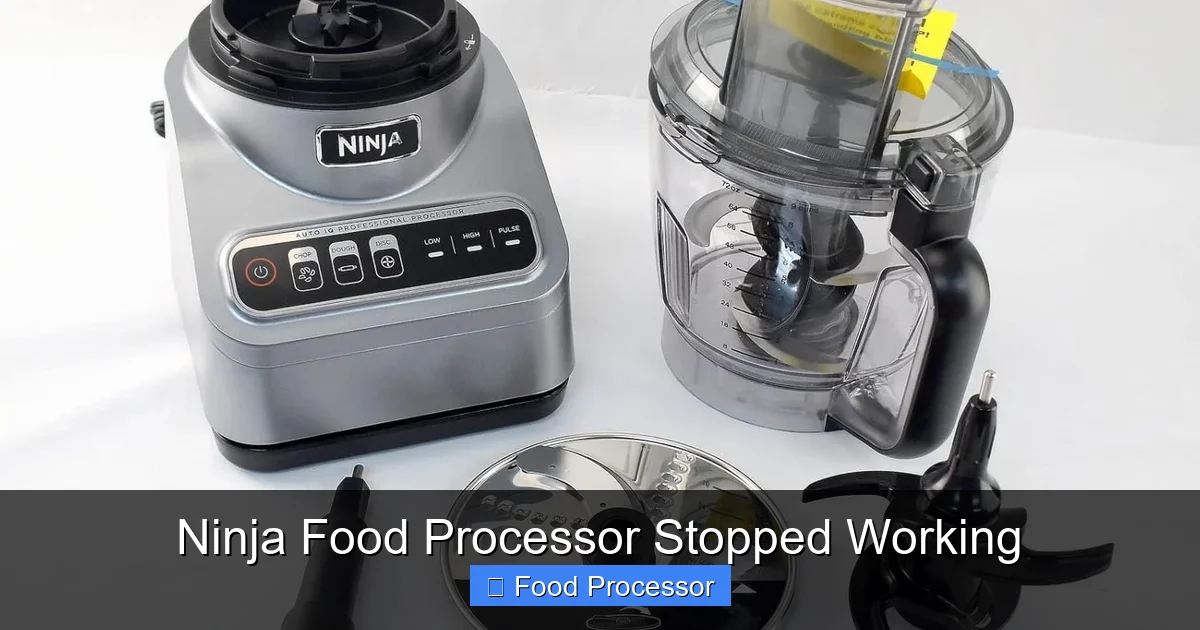
It can be frustrating when your Ninja food processor stopped working, especially mid-recipe. This guide offers a comprehensive, step-by-step approach to diagnose and fix common issues, from power problems and improper assembly to motor overheating and jammed blades. You’ll learn how to troubleshoot safely and effectively, getting your beloved kitchen assistant back in action quickly.
Ninja Food Processor Stopped Working
Hello there, home chef! Is your trusty Ninja food processor suddenly refusing to cooperate? We understand how frustrating it can be when your kitchen helper gives up mid-recipe. A Ninja food processor is a powerful tool, but like any appliance, it can run into hiccups. Don’t worry, in this comprehensive guide, we’ll walk you through common reasons why your Ninja food processor stopped working and provide easy-to-follow, step-by-step solutions to get it back up and running.
You’ll learn how to diagnose various problems, from simple power issues to more complex mechanical snags. Our aim is to empower you with the knowledge to troubleshoot safely and effectively, so you can continue enjoying the convenience your Ninja food processor brings to your culinary adventures. Let’s get started!
Key Takeaways
- Safety First: Always unplug your Ninja food processor from the power source before performing any inspection or troubleshooting to prevent electric shock.
- Check Power & Connections: The most common culprits for a Ninja food processor not working are simple power issues or improper assembly that prevents the safety interlocks from engaging.
- Understand Safety Features: Ninja food processors have built-in safety mechanisms, like thermal overload protection and lid/bowl interlocks, which can make the unit seem broken when it’s just preventing operation for safety.
- Inspect for Obstructions: A jammed blade or too much food can overload the motor. Always check for foreign objects or excessive ingredients if your Ninja food processor stopped working.
- Gentle Disassembly & Cleaning: Learn how to properly disassemble and clean components. Sometimes, food debris can prevent proper seating of parts, leading to operational failure.
- Know When to Seek Help: If basic troubleshooting doesn’t resolve the issue, or if you suspect internal damage, it’s best to contact Ninja customer support or a qualified technician rather than attempting complex repairs yourself.
- Preventative Maintenance: Regular cleaning, avoiding overfilling, and understanding your food processor’s limits can significantly extend its lifespan and prevent future issues.
Step 1: Prioritize Safety – Always Unplug First
Before you even think about touching or inspecting any part of your Ninja food processor, the very first and most crucial step is to ensure your safety.
Unplug the Appliance
Reach for the power cord and pull it directly from the wall socket. Do not simply turn off the unit, as it might still have a residual charge or an accidental power surge could occur. Unplugging completely removes any risk of electric shock or accidental activation while you’re working on the machine.
Ensure a Stable Work Area
Move your Ninja food processor to a clean, dry, and stable surface. This prevents accidental drops or spills during inspection and troubleshooting. Make sure you have enough light to clearly see all components.
Safety Tip: Always keep young children and pets away from your workspace when troubleshooting appliances.
Step 2: Check the Power Source and Cord
Often, when a Ninja food processor stopped working, the problem isn’t with the appliance itself, but with its power supply. This is a common issue for many kitchen appliances.
Verify the Outlet
It sounds simple, but a tripped circuit breaker or a faulty outlet can be the culprit.
- Test with Another Device: Plug another small appliance (like a lamp or a phone charger) into the same outlet. If that device doesn’t work either, the issue is with your outlet or household electricity, not your food processor.
- Check Circuit Breaker: Go to your home’s electrical panel and look for any tripped breakers (usually flipped to the “off” position or halfway). Reset them by switching them completely off, then back on.
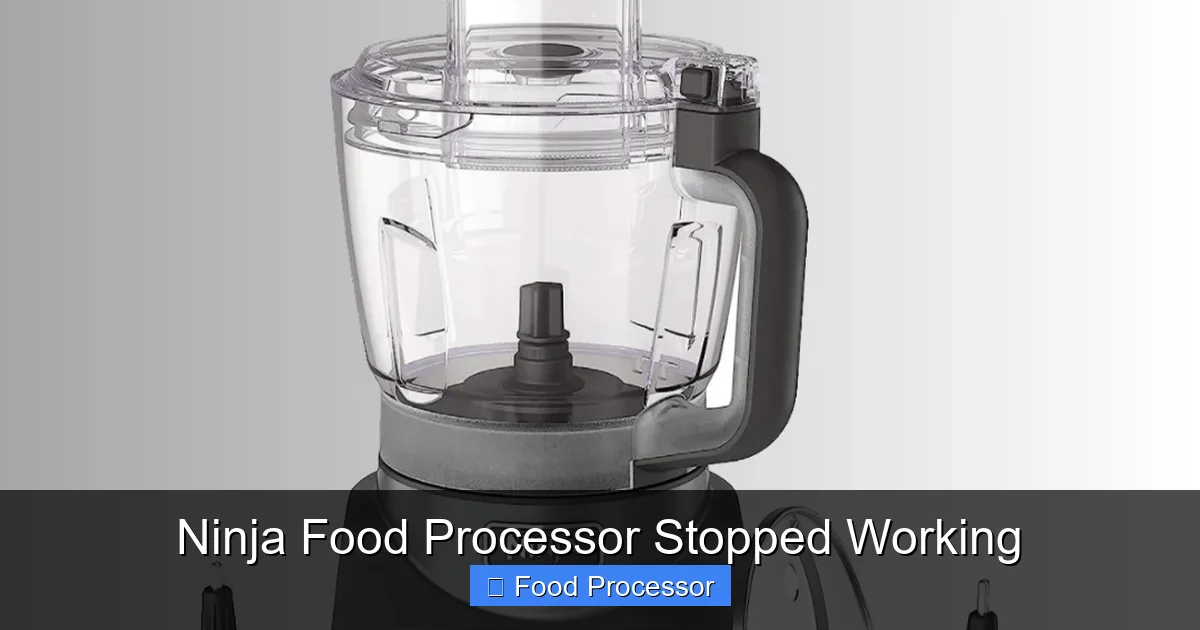
Visual guide about Ninja Food Processor Stopped Working
Image source: i.pinimg.com
Inspect the Power Cord
Carefully examine the entire length of the power cord for any visible damage. Look for:
- Cuts or Fraying: Any exposed wires or damaged insulation can be dangerous and prevent power flow.
- Pinches or Kinks: Severe bends or pinches can break internal wires.
- Loose Plug Prongs: Ensure the prongs are straight and firmly attached to the plug casing.
If you find any damage to the power cord, do NOT attempt to use the Ninja food processor. A damaged cord is a fire hazard. You will need to contact Ninja customer support for a replacement cord or service.
Step 3: Confirm Proper Assembly and Interlocks
Ninja food processors are designed with safety in mind. They have several interlocking mechanisms that prevent the motor from running if the components are not assembled correctly. This is one of the most frequent reasons a Ninja food processor stopped working.
Review the Bowl and Lid Placement
The motor will not engage if the processing bowl and lid are not securely locked into place.
- Secure the Bowl: Ensure the processing bowl is firmly seated on the motor base. It usually requires a twist until it clicks into position. Check your specific Ninja model’s manual for exact instructions.
- Lock the Lid: The lid must be properly aligned and locked onto the processing bowl. There are often arrows or indicators on the lid and bowl that need to line up. You’ll typically hear a click or feel it snap into place. Many Ninja lids also have a locking handle that needs to be pushed down until it engages.
Visual guide about Ninja Food Processor Stopped Working
Image source: 1.bp.blogspot.com
Check the Blade or Disc Attachment
If the blade assembly or a slicing/shredding disc is not correctly installed, the unit won’t operate.
- Blade Assembly: Make sure the blade tower is fully pushed down onto the drive shaft in the center of the bowl. It should sit flush at the bottom.
- Disc Attachment: If using a disc, ensure it is correctly placed on the disc stem and the lid can close properly over it.
Practical Tip: Sometimes, a small piece of food debris can prevent the lid or bowl from locking correctly. Disassemble everything, clean the edges and connection points thoroughly, and then reassemble. Knowing how to assemble a food processor step-by-step is crucial for this.
Step 4: Address Motor Overload and Overheating
Ninja food processors have built-in thermal protection to prevent the motor from burning out due to excessive strain or continuous use. If your Ninja food processor stopped working suddenly after heavy use, this is likely the cause.
Understand Thermal Overload Protection
If you’ve been processing tough ingredients, overfilling the bowl, or using the machine for an extended period, the motor can overheat. When this happens, a safety switch automatically cuts power to protect the motor from damage.
- Wait It Out: Unplug the unit and let it rest for at least 15-30 minutes (or longer, up to an hour for very hot motors). This allows the motor to cool down sufficiently for the thermal switch to reset.
- Reduce Load: Once it’s cooled, if you were processing a large or tough batch, reduce the quantity of ingredients next time. Process in smaller batches to ease the strain on the motor.
Avoid Overfilling the Bowl
Each Ninja food processor has a maximum fill line indicated on the processing bowl. Exceeding this line forces the motor to work harder, leading to overheating.
- Observe Fill Lines: Always pay attention to the “Max Fill” lines for liquids and solids.
- Process in Batches: If you have a large quantity of ingredients, divide them into smaller batches that fit comfortably below the fill line.
Step 5: Inspect for Jammed Blades or Obstructions
A common reason for a Ninja food processor stopped working or the food processor blade not spinning is an obstruction preventing the blades from turning freely.
Check for Stuck Food or Objects
Even small, tough pieces of food or an accidental foreign object (like a utensil) can seize the blade.
- Careful Inspection: With the unit UNPLUGGED, remove the lid and carefully lift out the blade assembly (always hold it by the central column, never the sharp blades). Inspect the area around and beneath the blades for anything that might be causing a jam.
- Remove Obstructions: Use tongs or a spoon (never your bare hands) to remove any food chunks, seeds, or other items that are blocking the blades.
Assess Ingredient Consistency
If you’re processing very dense, sticky, or frozen ingredients, they can sometimes form a solid mass that prevents the blades from moving.
- Thaw Frozen Items: Allow frozen fruits or vegetables to thaw slightly before processing.
- Add Liquid: For very thick mixtures, adding a small amount of liquid (water, oil, broth) can help the blades move more freely.
- Cut into Smaller Pieces: Large, hard chunks of food (like carrots, nuts, or hard cheeses) should be cut into smaller, more manageable pieces before being added to the bowl. This also helps when you need to know how to fix a food processor blade not spinning due to resistance.
Step 6: Examine for Worn or Damaged Parts
Over time, components of your Ninja food processor can experience wear and tear. Damaged parts can prevent the unit from operating correctly.
Inspect the Drive Shaft and Coupler
The motor base has a drive shaft, and the blade assembly (or disc stem) has a corresponding coupler that connects to it. These components are often made of plastic or a combination of plastic and metal.
- Check for Wear: Look for any signs of stripping, cracking, or melting on the plastic parts of the drive shaft (on the motor base) or the coupler (on the blade/disc attachment). If these are damaged, the motor might spin, but the blades won’t.
- Broken Teeth: If the plastic teeth that engage are worn down or broken, they won’t transmit power effectively.
Look at the Blade Assembly
The blades themselves can sometimes become bent, dull, or even detached from their central column if the appliance has been dropped or misused.
- Blade Condition: Ensure the blades are securely attached and not bent. While dull blades won’t stop the machine from working, they’ll make processing inefficient.
- Cracks in Plastic: Check the plastic column of the blade assembly for any cracks that could prevent it from seating properly or spinning.
Check the Motor Base
While less common, the motor base itself could have internal damage. Look for:
- Unusual Odors: A burning smell indicates a serious motor issue. Stop using immediately.
- Visible Damage: Cracks in the housing or rattling noises when gently shaking the unplugged unit could signify internal problems.
If you suspect damage to the drive shaft, coupler, or motor itself, it’s best to contact Ninja customer service. Attempting to repair these delicate components yourself could void your warranty or cause further damage. Generally, if your food processor stopped working and you’ve ruled out external issues, internal damage is a strong possibility.
Step 7: Final Troubleshooting Steps and When to Seek Professional Help
If you’ve gone through all the previous steps and your Ninja food processor still isn’t working, here are a few more things to consider before giving up.
Consult Your User Manual
It sounds obvious, but your Ninja food processor’s user manual is an invaluable resource. It contains specific troubleshooting tips for your model, details about its safety features, and contact information for customer support. Keep it handy!
Check for Recalls
Occasionally, manufacturers issue recalls for appliances due to manufacturing defects. Do a quick online search for “Ninja food processor recall” followed by your model number to see if your unit is affected.
Contact Ninja Customer Support
If you’ve tried everything and your Ninja food processor stopped working, it’s time to reach out to the experts.
- Gather Information: Have your model number, serial number, and purchase date ready. Describe the problem clearly and what steps you’ve already taken.
- Warranty Check: Check if your appliance is still under warranty. Ninja products typically come with a limited warranty, which might cover repairs or replacements.
Consider a Replacement
If your Ninja food processor is old, out of warranty, and the cost of repair is high, it might be more cost-effective to invest in a new one. Modern food processors often come with improved features and efficiency. If you’re considering a new one, you might want to look into what to consider when buying a food processor.
Preventative Maintenance to Keep Your Ninja Food Processor Running Smoothly
An ounce of prevention is worth a pound of cure, especially with kitchen appliances. Here are some tips to keep your Ninja food processor from stopping in the future:
- Regular Cleaning: After each use, disassemble and clean all removable parts according to the manufacturer’s instructions. This prevents food buildup that can hinder proper assembly or jam blades.
- Avoid Overloading: Always respect the maximum fill lines. If a recipe calls for more ingredients than your bowl can handle, process in smaller batches.
- Cut Food Properly: Pre-cut large or hard ingredients into smaller, uniform pieces before adding them to the food processor. This reduces strain on the motor and helps prevent jams.
- Allow for Cooling: If processing for extended periods or handling tough ingredients, give your Ninja food processor short breaks to cool down, especially if you notice the motor getting warm.
- Store Safely: Store your food processor in a secure place where it won’t be accidentally dropped or have heavy objects placed on it, which could damage components.
- Check for Wear: Periodically inspect the blades, drive shaft, and couplers for any signs of wear, cracks, or dullness. Replacing worn parts early can prevent more serious issues.
By following these tips, you can significantly reduce the chances of your Ninja food processor stopped working unexpectedly and ensure it provides many more years of reliable service.
Conclusion
It’s certainly a hassle when your Ninja food processor stopped working, but as you’ve seen, many common problems have straightforward solutions. From checking your power supply and ensuring correct assembly to understanding thermal overload protection and clearing jammed blades, you now have a comprehensive guide at your fingertips. Remember to always prioritize safety by unplugging the appliance before any inspection.
If you’ve diligently worked through these steps and your Ninja food processor still isn’t springing back to life, don’t hesitate to consult your user manual or contact Ninja customer support. With a little patience and troubleshooting, you’ll likely have your kitchen companion humming along happily once more, ready to tackle your next culinary challenge! Happy processing!
