

When your food processor is not working, it can halt meal prep. This guide helps you diagnose common culprits, from power supply issues and improper assembly to motor overload and blade obstructions. Learn simple troubleshooting steps to get your appliance back in action and avoid frustrating kitchen delays. Most problems are easy to fix with a systematic check of power, safety mechanisms, and internal components, preventing the need for costly repairs or replacements.
Why Is My Food Processor Not Working?
There’s nothing quite as frustrating as gearing up for a big cooking session, only to find your trusty food processor stubbornly refuses to cooperate. One moment it’s a culinary hero, the next it’s a silent, unmoving lump on your counter. If you’re asking, “Why is my food processor not working?” you’ve come to the right place. Most of the time, the solution is simpler than you might think. We’re here to guide you through a systematic troubleshooting process to help you get your kitchen workhorse back up and running.
In this comprehensive guide, we’ll walk you through common reasons why a food processor stops working. We’ll cover everything from basic power issues to more complex mechanical problems. You’ll learn how to identify the specific fault and, in many cases, how to fix it yourself. Let’s dive in and get your food processor chopping, slicing, and dicing once again! If your food processor stopped working entirely, these steps are crucial.
Key Takeaways
- Safety First: Always unplug your food processor before performing any inspection or troubleshooting to prevent electric shock or injury from sharp blades.
- Check Power Supply: Verify the appliance is properly plugged in, the outlet is functional, and no circuit breakers have tripped. A lack of power is a common reason why your food processor is not working.
- Ensure Correct Assembly: Most food processors have safety interlock systems that prevent operation if the bowl, lid, and blade are not securely locked into place.
- Beware of Overload: Overfilling or processing overly hard ingredients can trigger the thermal cut-off switch, causing the food processor to stop working. Allow it to cool down and clear excess food.
- Inspect Blades and Motor: Look for obstructions around the blade or issues with the drive shaft. Sometimes a food processor blade not spinning indicates a deeper mechanical problem.
- Perform Regular Maintenance: Keep your food processor clean and avoid forcing it to process too much or too hard food to extend its lifespan and prevent malfunctions.
- Know When to Seek Help: If basic troubleshooting doesn’t work, consider consulting the manufacturer’s manual, a professional repair service, or replacing the unit if it’s old or parts are expensive.
Step 1: Prioritize Safety First!
Before you touch anything inside your food processor or start fiddling with components, remember this golden rule: safety first! Food processors have extremely sharp blades and powerful motors. Neglecting safety can lead to serious injury.
Unplug the Appliance
The very first thing you should always do is unplug your food processor from the wall outlet. This cuts off all power to the unit, eliminating any risk of electric shock or accidental activation. It’s a simple step that could prevent a painful accident. Always assume the worst and take precautions.
Handle Blades with Care
The blades are incredibly sharp. When removing them or inspecting the bowl, always hold them by the plastic hub in the center. Avoid touching the cutting edges directly. You might even consider wearing cut-resistant gloves for extra protection, especially if you’re not used to handling them.
Step 2: Check the Power Supply

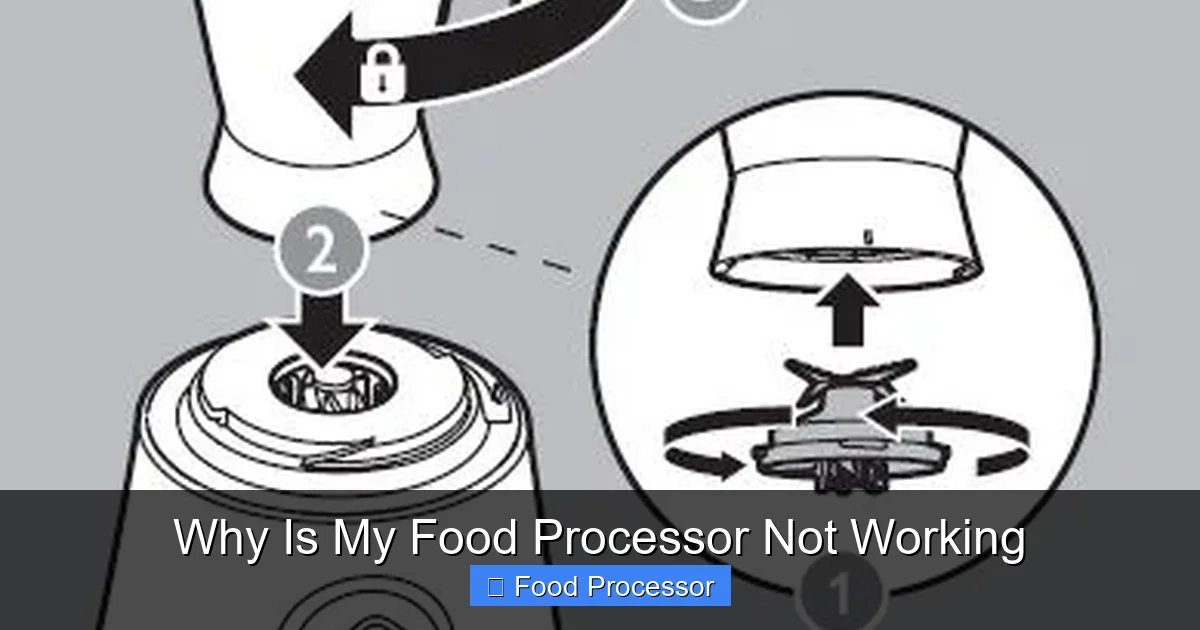
Visual guide about Why Is My Food Processor Not Working
Image source: support.magimix.com.au
One of the most common reasons a food processor is not working has nothing to do with the appliance itself, but with its power source. Let’s make sure it’s getting electricity.
Check the Power Outlet
Sometimes, the simplest explanation is the right one.
- Is it Plugged In? Double-check that the power cord is securely plugged into a working electrical outlet. It sounds obvious, but a loose plug is a common culprit.
- Test the Outlet: Plug another small appliance (like a lamp or a phone charger) into the same outlet. If that appliance doesn’t work either, the problem is with your outlet, not your food processor.
Inspect the Power Cord
Give the power cord a quick visual inspection.
- Look for Damage: Check for any fraying, cuts, kinks, or signs of burning on the cord. A damaged cord can prevent power from reaching the motor. If you find damage, the cord needs to be replaced, which often requires professional help or a new unit. Do not attempt to use a damaged cord.
- Cord Securely Attached? Ensure the cord is firmly attached to the food processor’s base.
Reset the Breaker or GFCI
If your outlet isn’t working, your circuit breaker might have tripped.
- Check Your Breaker Box: Go to your home’s electrical panel (breaker box) and look for any tripped breakers. These are usually switched to the “off” or middle position. Flip it completely off, then back on.
- Look for GFCI Outlets: Kitchens often have GFCI (Ground Fault Circuit Interrupter) outlets, which have “reset” and “test” buttons. If your food processor is plugged into one of these, try pressing the “reset” button. This is a common solution if your food processor is not turning on.
Step 3: Verify Proper Assembly and Safety Interlocks
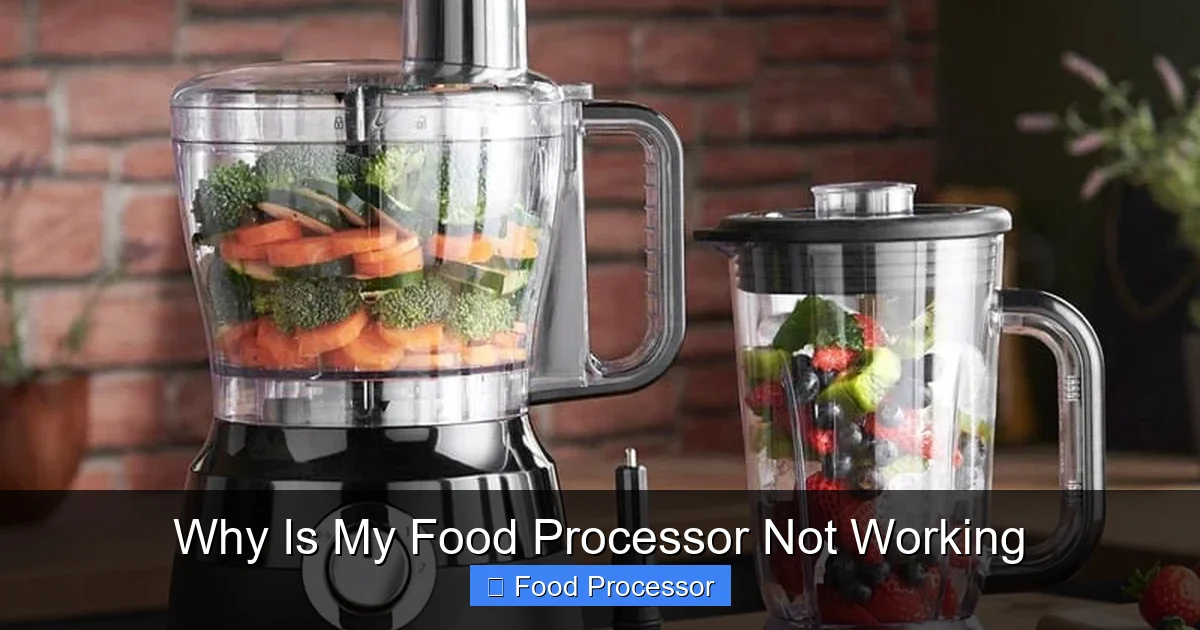
Visual guide about Why Is My Food Processor Not Working
Image source: applianceanalysts.com
Modern food processors are designed with safety in mind. They have interlock systems that prevent the motor from running unless all components are correctly and securely assembled. This is a very frequent reason why your food processor is not working.
Proper Bowl Placement
The work bowl must be correctly seated on the motor base.
- Align and Lock: Most bowls have tabs or grooves that need to align with slots on the base. You usually twist the bowl clockwise until it clicks or locks into place. If it’s even slightly off, the interlock sensor won’t engage.
- Check for Debris: Ensure there’s no food debris or foreign objects preventing the bowl from sitting flush on the base.
Lid Alignment and Locking
The lid is another critical part of the safety interlock.
- Securely Attached: Just like the bowl, the lid usually has tabs that must align with slots on the bowl and then twist to lock. Listen for a distinct click. Some models have a safety pin on the lid that needs to depress a switch on the handle.
- Is the Feed Tube Closed? Some models require the food pusher to be inserted into the feed tube for the lid interlock to fully engage.
- Refer to Manual: If you’re unsure, consult your user manual for specific assembly instructions. If you need a refresher on the basics, you can find a guide on how to assemble a food processor step by step.
Blade or Disc Attachment
The cutting accessory also plays a role in the safety system.
- Correctly Inserted: Ensure the blade or disc is properly placed on the center spindle inside the bowl before the lid is put on. It should sit firmly and not wobble excessively.
- Matches Task: Make sure you’re using the correct blade or disc for your intended task and that it’s designed for your specific model.
Step 4: Address Motor Overload and Thermal Protection
Food processors are powerful, but they have limits. If you push them too hard, they have built-in safety mechanisms to prevent damage.
Too Much Food?
Overfilling the work bowl is a common mistake.
- Check Max Fill Lines: Most bowls have a “max fill” line. Exceeding this can strain the motor.
- Process in Batches: If you have a large quantity of ingredients, process them in smaller batches. This reduces the load on the motor and allows for more efficient processing.
- Hard Ingredients: Trying to process large, hard items like whole carrots, blocks of cheese, or frozen fruit all at once can quickly overload the motor.
The Thermal Cut-Off
Food processors have a thermal cut-off switch designed to protect the motor from overheating.
- Automatic Shutdown: If the motor gets too hot (due to overfilling, processing tough ingredients, or prolonged use), this switch will automatically shut off the appliance.
- Cool Down: If your food processor suddenly stops working mid-task, unplug it, remove the food, and let it cool down for at least 30 minutes to an hour. Sometimes, simply letting it rest is enough to reset the thermal switch.
- Try Again: After it has cooled, plug it back in and try again, but with a smaller load.
Step 5: Troubleshoot Blade and Motor Issues
If power and assembly aren’t the problem, the issue might be internal, related to the motor or the blade mechanism. This is where you might ask, “Why is my food processor blade not spinning?”
Obstructions Around the Blade
Even a small piece of food can jam the blade.
- Remove Blade and Inspect: Carefully remove the blade and inspect the area beneath it, as well as the spindle it sits on.
- Clear Debris: Look for any stuck food particles, stringy vegetables, or even a small piece of plastic that might be preventing the blade from rotating freely. Use a small brush or a toothpick to dislodge anything. This often helps you fix food processor blade not spinning.
Worn Coupler or Drive Shaft
The coupler is the part that connects the motor to the blade assembly.
- Examine the Coupler: On the motor base, you’ll see a small shaft (the drive shaft) that the blade assembly fits onto. Check if this shaft is stripped, broken, or has excessive wear. Similarly, inspect the corresponding part on the blade assembly or the bottom of the work bowl.
- Check for Cracks: Sometimes, the plastic coupler can crack or break, preventing the motor’s power from transferring to the blades. If this part is damaged, it usually needs to be replaced. These parts are often user-replaceable, so check your manual or the manufacturer’s website for spare parts.
Motor Problems
If you hear a hum but no blade movement, or no sound at all after all checks, it could be a motor issue.
- Humming Sound: A humming sound without blade rotation often indicates a jammed blade (see above) or a problem with the drive mechanism.
- No Sound: If there’s no sound at all, even after confirming power, it could be a more serious motor malfunction, a faulty switch, or a blown internal fuse. These issues usually require professional repair.
Step 6: Investigate Switch and Control Panel Malfunctions
Sometimes the problem isn’t with the power or the motor, but with the controls you’re using.
Sticky Buttons or Controls
Food debris or liquid can sometimes get into the buttons or switches, making them sticky or unresponsive.
- Clean Gently: With the unit unplugged, try to clean around the buttons using a cotton swab slightly dampened with rubbing alcohol. Ensure it’s completely dry before plugging it back in.
- Check for Physical Damage: Look for any buttons that appear stuck in one position or are visibly broken.
Electronic Issues
Some modern food processors have electronic control panels.
- Flickering Lights: If the lights on the panel are flickering or not lighting up at all, it might indicate an internal electronic fault.
- Unresponsive Buttons: If pressing buttons yields no response, and you’ve ruled out power and simple jams, there might be a circuit board issue. These are complex and usually require professional repair or replacement.
Step 7: Other Less Common Issues
While less frequent, these issues can also cause your food processor to stop working.
Gasket Problems
Some food processors, especially those designed for liquids, have gaskets (rubber seals) in the lid or around the blade shaft.
- Worn or Damaged Gasket: If a gasket is worn, cracked, or missing, it might prevent the lid from fully sealing, which could interfere with the safety interlock.
Worn Motor Brushes (for some models)
Many older or commercial-grade food processors use brushed motors. The carbon brushes can wear down over time.
- Signs of Wear: If the motor is sputtering, sparking excessively, or failing to start, worn brushes could be the cause.
- Replacement: Replacing motor brushes can be a DIY task for some, but often requires specific parts and a bit of mechanical know-how. Consult your manual or a repair guide.
Internal Fuse Blown
Just like your home’s electrical panel, some appliances have internal fuses to protect against power surges or overloads.
- Difficult to Access: These fuses are usually located inside the motor housing and are not easily accessible for the average user.
- Professional Help: If you suspect an internal fuse, it’s best to consult a professional repair technician.
When to Call a Professional or Consider Replacement
After trying all these troubleshooting steps, if your food processor is still not working, it’s time to weigh your options.
DIY Limits
While many common issues are fixable at home, some problems are beyond basic troubleshooting. If you have to open the motor housing, deal with intricate wiring, or replace major internal components, it might be best to stop and consider professional help. Attempting complex repairs without expertise can be dangerous and may void warranties.
Cost-Benefit Analysis
- Repair Cost vs. New Unit Cost: Get an estimate for professional repair. If the repair cost is more than half the price of a new food processor, it often makes more sense to invest in a new one.
- Age of Appliance: Older food processors might have more worn-out parts. If your unit is several years old and has seen heavy use, a new appliance might offer better performance, new features, and a fresh warranty.
- Warranty Status: If your food processor is still under warranty, contact the manufacturer. Do-it-yourself repairs might void your warranty.
Preventative Maintenance Tips
To keep your food processor in top shape and avoid future “not working” dilemmas, follow these simple maintenance tips:
Clean Regularly
After each use, disassemble the bowl, lid, and blades and wash them thoroughly. Ensure all food particles are removed, especially from crevices and around the spindle. A clean food processor functions better and lasts longer.
Don’t Overfill
Always respect the “max fill” lines on your work bowl. Processing smaller batches is always better for the motor’s longevity.
Cut Food into Smaller Pieces
Before adding tough ingredients like hard cheeses, large vegetables, or frozen fruits, cut them into smaller, manageable pieces. This reduces strain on the motor and blades.
Store Properly
Store your food processor in a clean, dry place. Ensure the cord is not tightly wrapped or kinked, which can cause internal wire damage over time.
Conclusion
It’s certainly annoying when your food processor is not working. However, by systematically checking the power supply, verifying proper assembly, clearing obstructions, and understanding the thermal protection mechanism, you can often diagnose and fix the problem yourself. Remember, safety is paramount, so always unplug the unit before inspection. If the issue persists, don’t hesitate to consult a professional or consider upgrading your kitchen companion. With a little care and attention, your food processor will be back to making meal prep a breeze in no time! Happy cooking!
