


It can be incredibly frustrating when your Kitchenaid food processor will not turn on. Often, the problem stems from simple issues like incorrect assembly of the bowl and lid, a tripped power outlet, or an engaged safety interlock. This comprehensive guide walks you through essential checks and troubleshooting steps to diagnose and resolve why your Kitchenaid food processor isn’t turning on, helping you get back to your culinary tasks quickly.
Kitchenaid Food Processor Will Not Turn On
Few things are as frustrating in the kitchen as being ready to whip up a delicious meal, only for your trusty Kitchenaid food processor to stubbornly refuse to power on. One moment it was working perfectly, and the next, silence. When your Kitchenaid food processor will not turn on, it can throw a serious wrench into your cooking plans. But don’t panic! More often than not, the issue isn’t a major breakdown but a simple fix you can tackle yourself.
This comprehensive guide is designed to help you diagnose and resolve why your Kitchenaid food processor isn’t turning on. We’ll walk you through a series of easy-to-follow, step-by-step checks and troubleshooting tips. By the end of this article, you’ll either have your Kitchenaid food processor humming again or you’ll have a clear understanding of what might be wrong, so you can decide on the next best course of action. Let’s get started and get your Kitchenaid food processor back in action!
Key Takeaways
- Safety First: Always unplug your Kitchenaid food processor before performing any inspection or troubleshooting steps to prevent electric shock or accidental operation.
- Check Power Supply: The most basic step is to ensure the unit is properly plugged into a functional outlet and that no circuit breaker has tripped.
- Verify Proper Assembly: Kitchenaid food processors have strict safety interlocks. The bowl, lid, and pusher must be correctly aligned and locked into place for the appliance to power on. This is often the most common culprit.
- Overload Protection: Many Kitchenaid models feature a thermal reset button or an automatic shut-off to prevent overheating. Allow the motor to cool down and try resetting it.
- Inspect Cord and Plug: Look for any visible damage to the power cord or plug, which could be preventing electricity from reaching the motor.
- Motor and Interlock Issues: If basic checks fail, there might be an issue with the motor or the internal safety interlock system, which may require professional service or replacement.
- Consult Your Manual: Always refer to your specific Kitchenaid model’s owner’s manual for precise assembly instructions and troubleshooting tips unique to your appliance.
Step 1: Prioritize Safety – Unplug and Inspect
Before you touch anything or start poking around, safety is paramount. Working with electrical appliances always carries a risk, so it’s crucial to take the necessary precautions.
1.1 Disconnect from Power
The very first thing you must do is unplug your Kitchenaid food processor from the wall outlet. This eliminates any risk of electric shock or the appliance accidentally turning on while you’re inspecting it. It’s a simple yet critical step that ensures your safety throughout the troubleshooting process.
1.2 Visually Inspect the Power Cord and Plug
Once unplugged, take a moment to carefully examine the power cord and plug for any signs of damage. Look for:
- Fraying or Cuts: Are there any visible cuts, nicks, or exposed wires on the cord?
- Pin Bending: Are the prongs on the plug bent, loose, or discolored?
- Burn Marks: Check for any burn marks or melted plastic on the plug or along the cord.
Even minor damage can prevent electricity from reaching the motor, causing your Kitchenaid food processor to not turn on. If you find significant damage, it’s unsafe to use the appliance, and the cord will likely need to be replaced by a qualified technician, or the unit itself might need replacement.
Step 2: Check the Power Source and Outlet
Sometimes, the problem isn’t with the food processor itself, but with the power supply. This is a common oversight that’s thankfully easy to check.
2.1 Test the Wall Outlet
Plug another small appliance that you know works (like a lamp, phone charger, or toaster) into the same wall outlet your Kitchenaid food processor uses. If the other appliance also fails to turn on, you’ve found your culprit: the outlet itself. This often happens if the outlet is connected to a GFCI (Ground Fault Circuit Interrupter) that has tripped, or if a circuit breaker has flipped.
Visual guide about Kitchenaid Food Processor Will Not Turn On
Image source: i.ebayimg.com
2.2 Reset the GFCI Outlet or Circuit Breaker
If the outlet is dead, look for a GFCI outlet nearby (often found in kitchens, bathrooms, and garages, identifiable by “TEST” and “RESET” buttons). Press the “RESET” button firmly. If your Kitchenaid food processor will not turn on because of a tripped circuit, this should restore power. If there’s no GFCI, check your home’s electrical panel for any tripped circuit breakers (they’ll usually be in the “off” or middle position). Flip them completely off, then firmly back to the “on” position. After restoring power, try plugging in your Kitchenaid food processor again.
Step 3: Verify Proper Assembly – The Most Common Culprit
Kitchenaid food processors, like most modern appliances, are designed with safety in mind. They feature interlock mechanisms that prevent the motor from starting if the components aren’t correctly assembled. This is, by far, the most frequent reason a Kitchenaid food processor will not turn on.
3.1 Ensure the Work Bowl is Seated Correctly
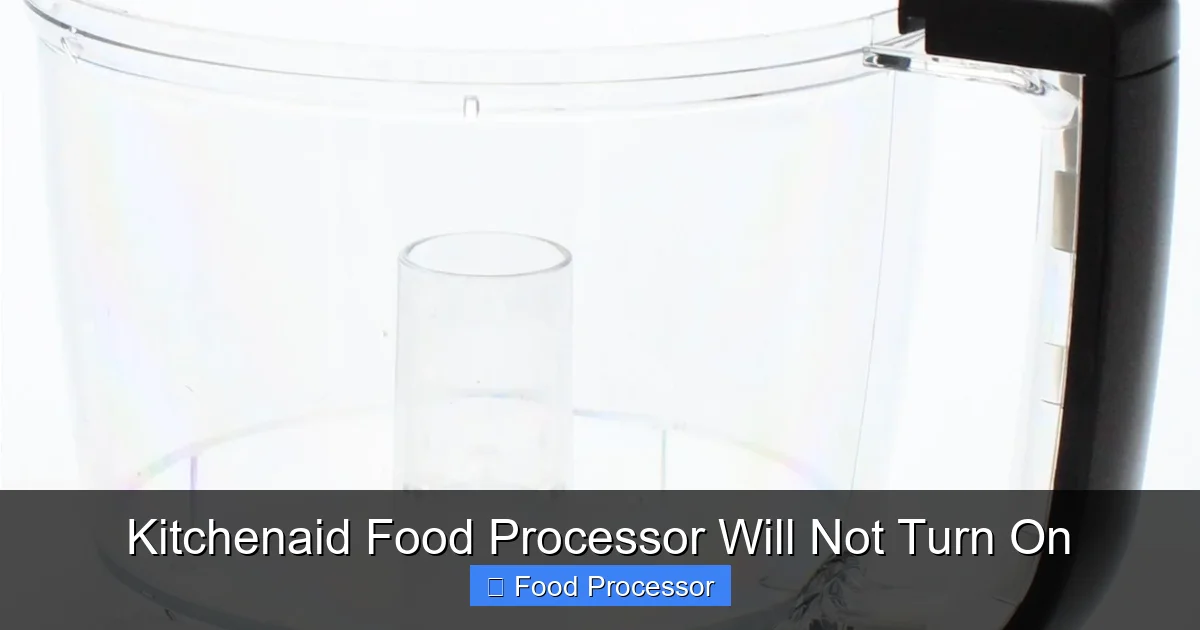
The work bowl must be securely locked onto the motor base. Each Kitchenaid model might have a slightly different locking mechanism, but generally, you place the bowl on the base and twist it clockwise until it clicks firmly into place. If it’s even slightly misaligned, the safety interlock won’t engage, and the unit won’t power on. Refer to your owner’s manual for specific instructions on how to correctly assemble food processor step by step.
Visual guide about Kitchenaid Food Processor Will Not Turn On
Image source: storage.googleapis.com
3.2 Properly Attach and Lock the Lid
After the bowl, the lid is the next critical component for the safety interlock. The lid also needs to be placed on the bowl and twisted until it locks securely. Many lids have arrows that need to align with marks on the bowl or base. If the lid isn’t fully locked, your Kitchenaid food processor will not turn on. Check for any food debris that might be preventing the lid from seating properly.
3.3 Check the Food Pusher/Feed Tube (If Applicable)
Some Kitchenaid models, especially larger ones, have an additional safety interlock associated with the food pusher or the feed tube cover. Ensure the pusher is correctly inserted into the feed tube, or that any feed tube cap is properly in place. Even a small piece of food stuck in the feed tube can prevent the pusher from fully seating, thus disengaging the safety mechanism.
Step 4: Examine the Blades and Discs
While the blades themselves rarely prevent the unit from turning on, their improper seating can sometimes interfere with the bowl or lid’s ability to lock, indirectly causing the “no power” issue.
4.1 Correct Blade/Disc Placement
Make sure the blade or disc you intend to use is correctly placed on the drive shaft within the work bowl. It should sit firmly and not wobble excessively. If the blade isn’t seated properly, it might prevent the lid from closing fully and engaging the safety switch.
4.2 Check for Obstructions
Remove the blade/disc and inspect the drive shaft area. Is there any hardened food residue or foreign object preventing the blade from sitting flush? Clean any obstructions carefully. Sometimes, if the blade is stuck or jammed, the motor might struggle or fail to start even if power is reaching it, which can sometimes manifest as a unit that simply won’t turn on.
Step 5: Overload Protection and Thermal Cutout
Kitchenaid food processors are designed with built-in safety features to protect the motor from overheating and damage. If you’ve been processing tough ingredients for a long time, or if the motor has been under excessive strain, the overload protection might have activated.
5.1 Identify if Overload Protection Activated
If your Kitchenaid food processor suddenly stopped working mid-task, or if you heard the motor struggling before it went silent, chances are the overload protection was triggered. This feature automatically shuts off the motor to prevent damage from overheating. When this happens, your Kitchenaid food processor will not turn on again until it has cooled down and often, until it’s manually reset.
5.2 Allow the Motor to Cool Down
Unplug the unit and let it rest for at least 15-30 minutes. This allows the motor to cool down sufficiently. Never try to force it back on immediately, as this could cause permanent damage. Make sure the area around the motor base is clear for proper ventilation.
5.3 Locate and Press the Reset Button (If Applicable)
Many Kitchenaid food processors, especially those with powerful motors, have a manual reset button located on the bottom or side of the motor base. This button is often red or clearly marked. After the unit has cooled, plug it back in and then press this button firmly. If your model doesn’t have a visible reset button, it likely has an automatic thermal reset that will engage once the unit cools.
Step 6: Deeper Troubleshooting for Persistent Issues
If your Kitchenaid food processor still won’t turn on after checking all the above, it’s time to consider more specific component issues.
6.1 Inspect Safety Interlock Switches
The safety interlock system is crucial. There are usually small pins or switches on the motor base and the lid that must make contact for the unit to operate. Visually inspect these points. Are they clean and free of debris? Are any of them bent or damaged? Sometimes, food particles can get lodged in these tiny crevices, preventing proper contact. A thorough cleaning with a small brush or toothpick might help. Do not try to bypass these switches, as they are there for your safety.
6.2 Check for Motor Issues
If the power is fine, assembly is correct, and overload protection isn’t the issue, the problem might lie within the motor itself. This is generally not a user-fixable problem. Signs of a motor issue include:
- A burning smell (unplug immediately if you smell this!).
- Humming but no movement (could be a seized motor or internal obstruction).
- No sound at all, even with power confirmed.
If you suspect a motor issue, it’s best to consult a professional or consider replacement. Attempting to open the motor housing can be dangerous and usually voids your warranty.
6.3 What To Do If Your Food Processor Won’t Turn On
Having thoroughly investigated your Kitchenaid unit, if it’s still unresponsive, you might be wondering what to do if your food processor won’t turn on next. It’s important to document all the troubleshooting steps you’ve taken. This information will be valuable if you need to contact Kitchenaid customer support or a repair technician.
Step 7: When to Consider Professional Help or Replacement
You’ve gone through all the steps, carefully checked everything, and your Kitchenaid food processor will not turn on. What now?
7.1 Contact Kitchenaid Customer Support
If your food processor is still under warranty, this should be your first step. Have your model number and serial number ready, along with a detailed description of the problem and the troubleshooting steps you’ve already performed. They can provide specific advice, arrange for repairs, or guide you through a replacement process.
7.2 Seek Professional Repair
If your unit is out of warranty but you’d prefer not to replace it, you can look for appliance repair services specializing in Kitchenaid products. Be aware that the cost of professional repair can sometimes approach the cost of a new unit, especially for motor-related issues. Get a quote before committing to a repair.
7.3 Consider Replacement
Sometimes, especially with older units or if the repair cost is high, it’s more economical and practical to simply replace the food processor. If you’re frequently facing issues and your Kitchenaid food processor stopped working and you’re wondering how to fix it, a new model might offer improved features, better efficiency, and a fresh warranty. Before buying, you might want to consider factors like wattage, bowl capacity, and included attachments to make sure you get the right fit for your needs.
Tips for Maintaining Your Kitchenaid Food Processor
Prevention is always better than cure. Here are some tips to keep your Kitchenaid food processor running smoothly and prevent it from not turning on in the future:
- Regular Cleaning: Always clean the work bowl, lid, and blades immediately after use. Pay special attention to the nooks and crannies where food can get stuck, especially around the safety interlock pins.
- Proper Assembly Practice: Make it a habit to always assemble the components in the correct order and ensure they are firmly locked into place before plugging in or attempting to operate the unit.
- Don’t Overload: Avoid overfilling the work bowl or trying to process excessively hard ingredients in large quantities. This puts undue strain on the motor and can trigger the overload protection. Cut larger items into smaller, manageable pieces.
- Allow for Cooling: If you’re doing heavy-duty processing, give the motor short breaks to cool down. This is especially true if you notice the motor sounding strained or getting warm.
- Store Properly: Keep your food processor in a clean, dry place where it won’t be prone to accidental damage.
- Use as Directed: Always follow the instructions in your Kitchenaid owner’s manual for proper usage and care.
Conclusion
It’s truly inconvenient when your Kitchenaid food processor will not turn on. However, as we’ve explored, the solution is often simpler than you might think. By systematically checking the power supply, verifying proper assembly, and understanding the safety mechanisms like overload protection, you can troubleshoot most common issues yourself. Remember, safety always comes first, so always unplug the appliance before inspection.
Hopefully, this guide has helped you get your Kitchenaid food processor back in working order, saving you time, money, and the hassle of manual chopping. If, after all these steps, your appliance remains stubbornly unresponsive, it might be time to consider professional help or a well-deserved upgrade. Happy cooking!
